Turn the Questions You Already Have Into Digital Practice
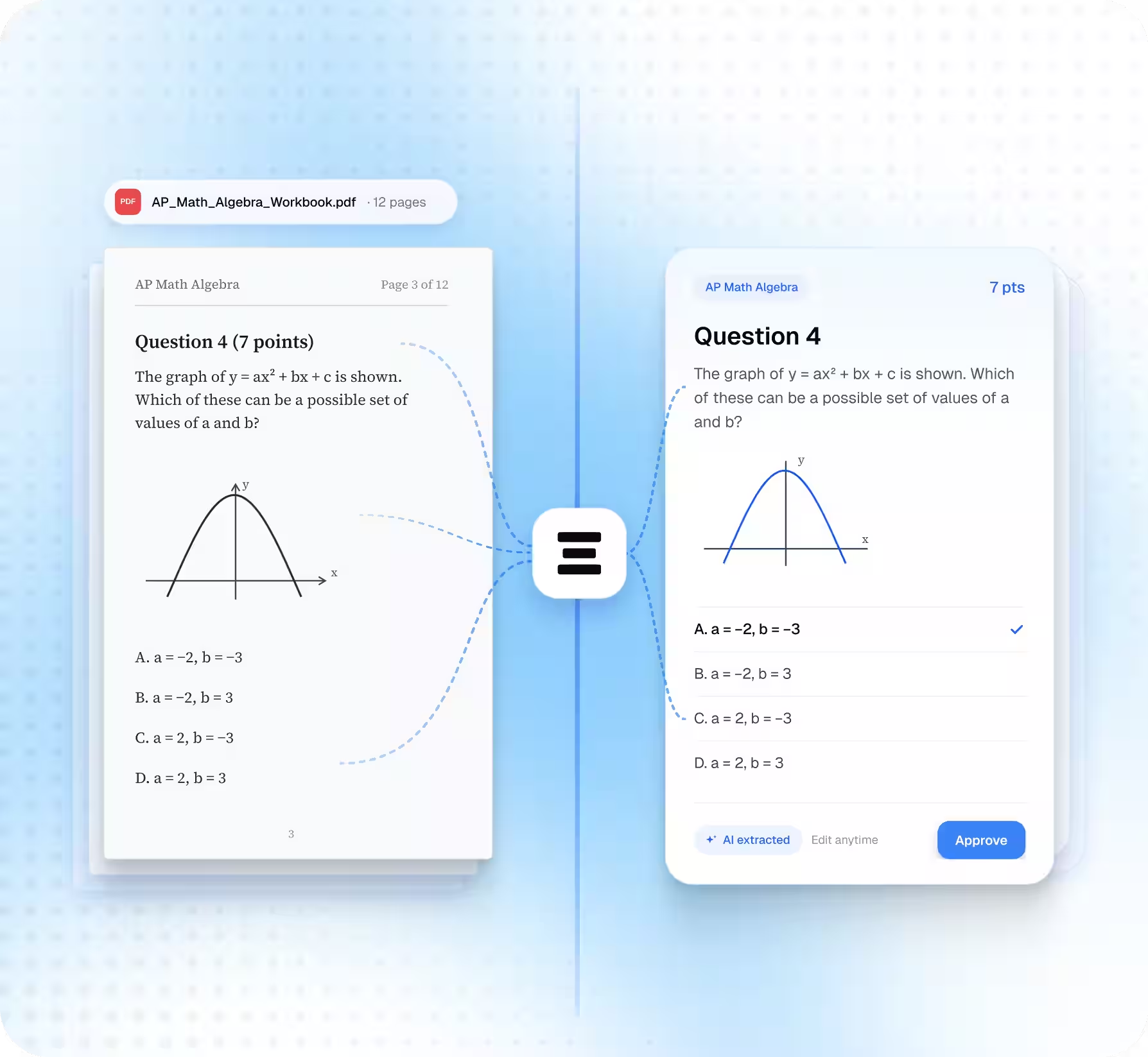
Stop spending hours typing questions from PDFs. EdisonOS extracts your existing test-prep content and turns it into editable questions for your Question Bank.
Built for:
Step
Without EdisonOS
With EdisonOS
1. Get the Question
Find each question in your PDF
Upload your PDF, worksheet, or test
2. Add the Question
Type the question out yourself
AI extracts the question
3. Add the Answers
Enter each answer choice and mark the correct one
AI extracts the answer choices and correct answer
4. Add Visuals
Upload figures and images manually
Images and figures are extracted with the question
5. Add Question Details
Enter the relevant question properties yourself
Set properties like domain, skill once, in the same review screen
6. Make it ready to use
Repeat the process for every question
Review, edit, approve, and add questions to your Question Bank
Instead of building every question from scratch, you review what EdisonOS has already prepared.
See the Difference at Every Step
The Traditional Way
Every Question, Every Step
00h 12m

Question 1
6m 30s
Question 2
5m 25s
Question 3
6m 33s

Question 4
of 54

Find the Question in the PDF
24s
Type out the question
45s
Type each answer choice
12s
Mark the correct answer
56s
Screenshot and crop the figure
23s
Upload the figure
12s
Set domain, skill and difficulty
34s
Tag and save to question bank
24s
3 of 54
~ 1h 54m to go


Three Steps, All Questions at once
18m
1
Upload your PDF
Math - Number and Quantity
12 pages
2
AI Extracts Everything
Worked for 5m 10s

Found 54 questions across 12 pages
Pulled question text & shared passages
Pulled answer choices & correct answers
Cropped 23 figures & images
Suggested domain, skill & difficulty
3
Review, Edit & Approve
You check each question next to the original
54 of 54
Done
Instead of building every question from scratch, you review what EdisonOS has already prepared.
Instead of building every question from scratch, you review what EdisonOS has already prepared.
Your Questions Come With Their Context
EdisonOS extracts the passage, images, and answers along with each question, so you don't rebuild them manually
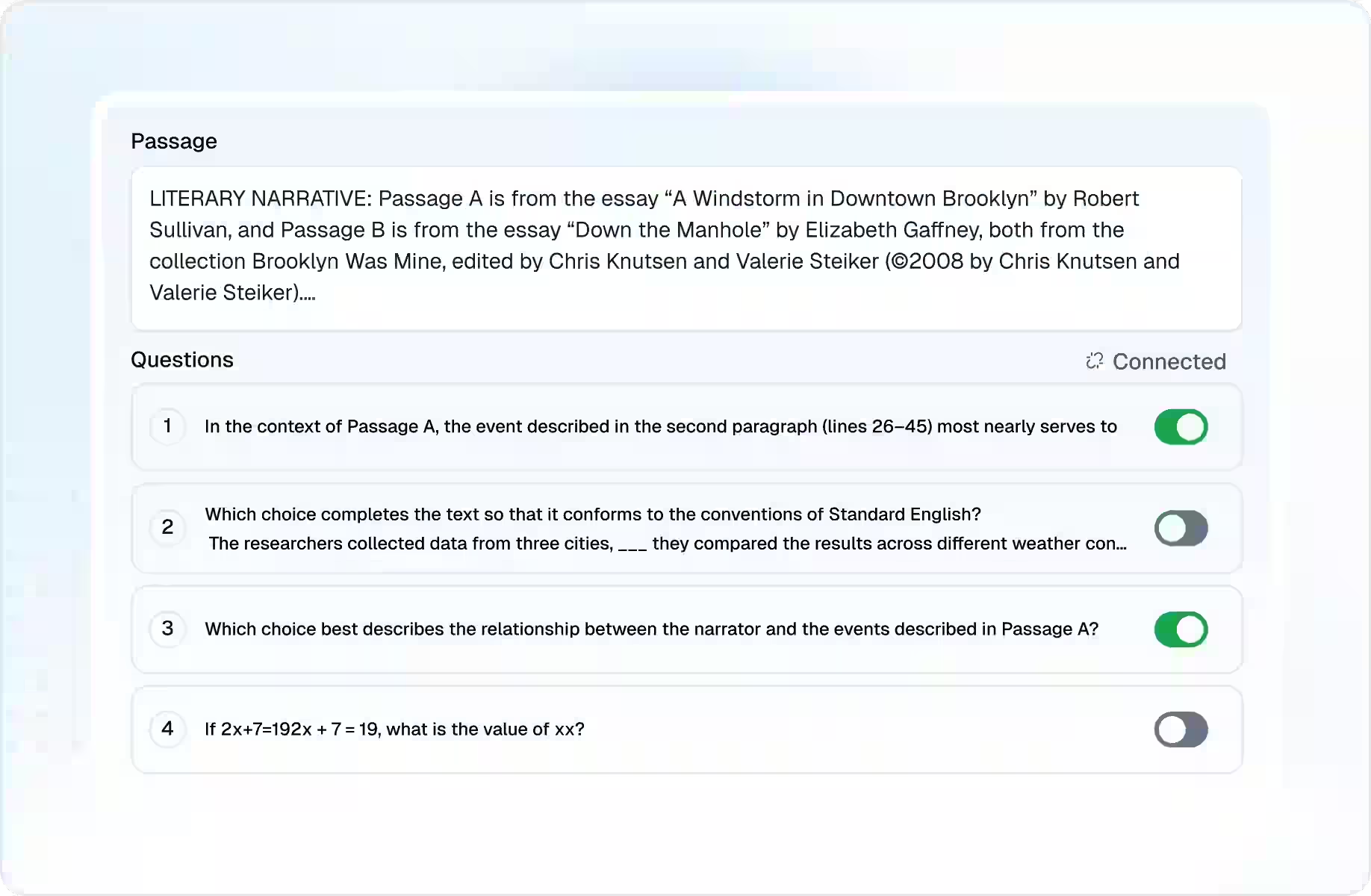
Passages
Keep shared passages connected to the questions that use them.
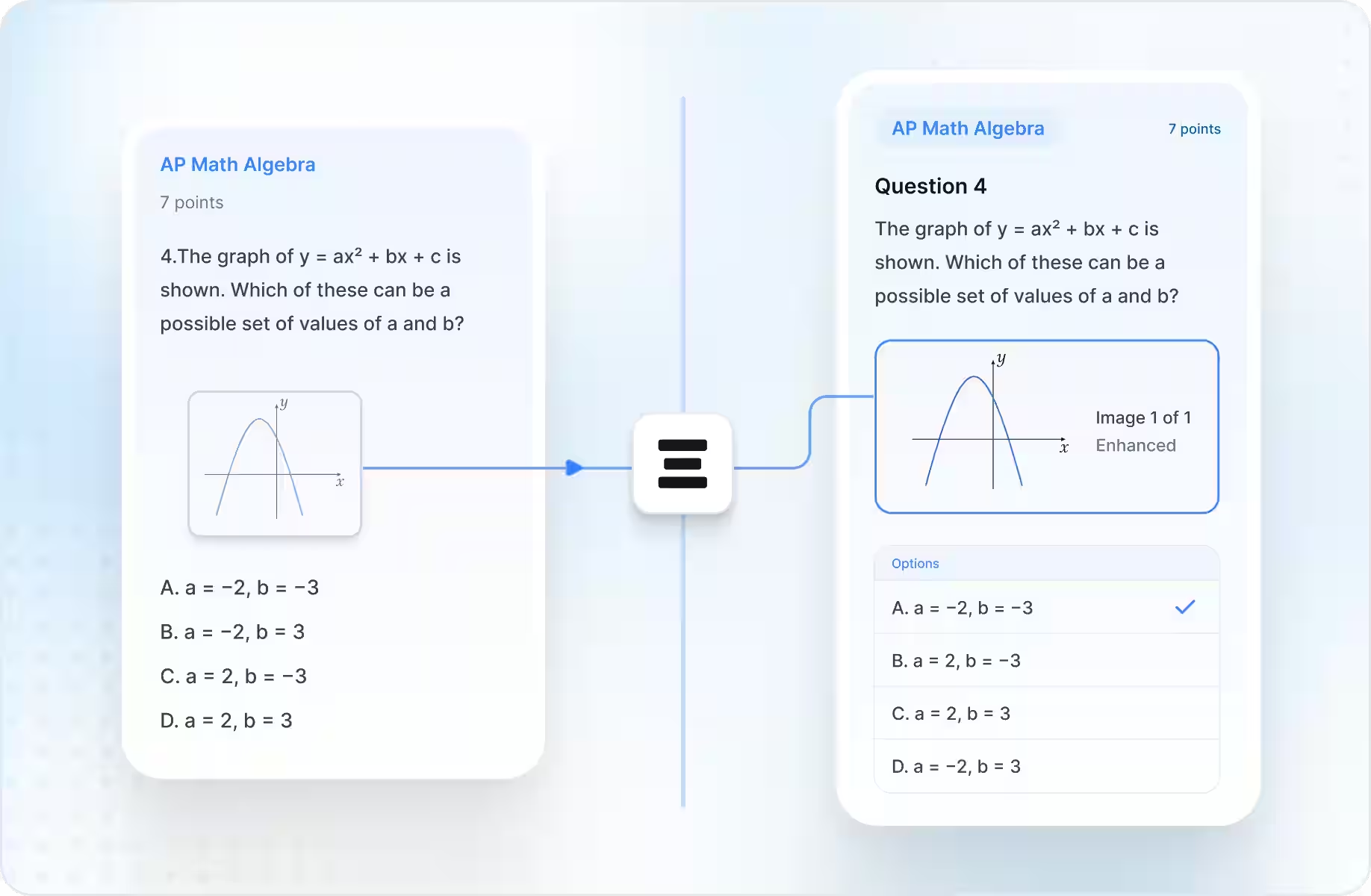
Images & Figures
Extract question visuals and adjust them before publishing.
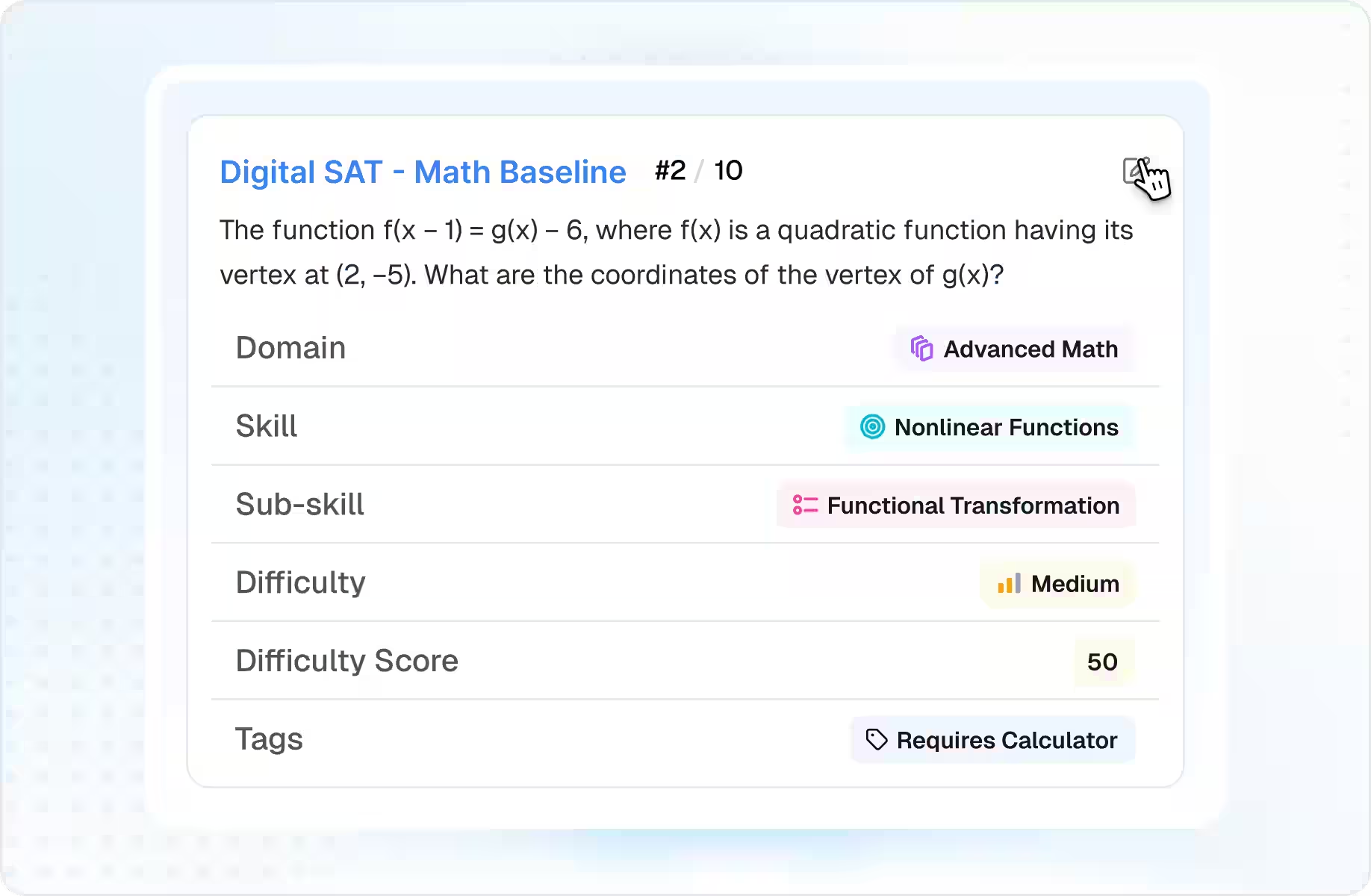
Question Properties
Configure the details that help you organize your bank.
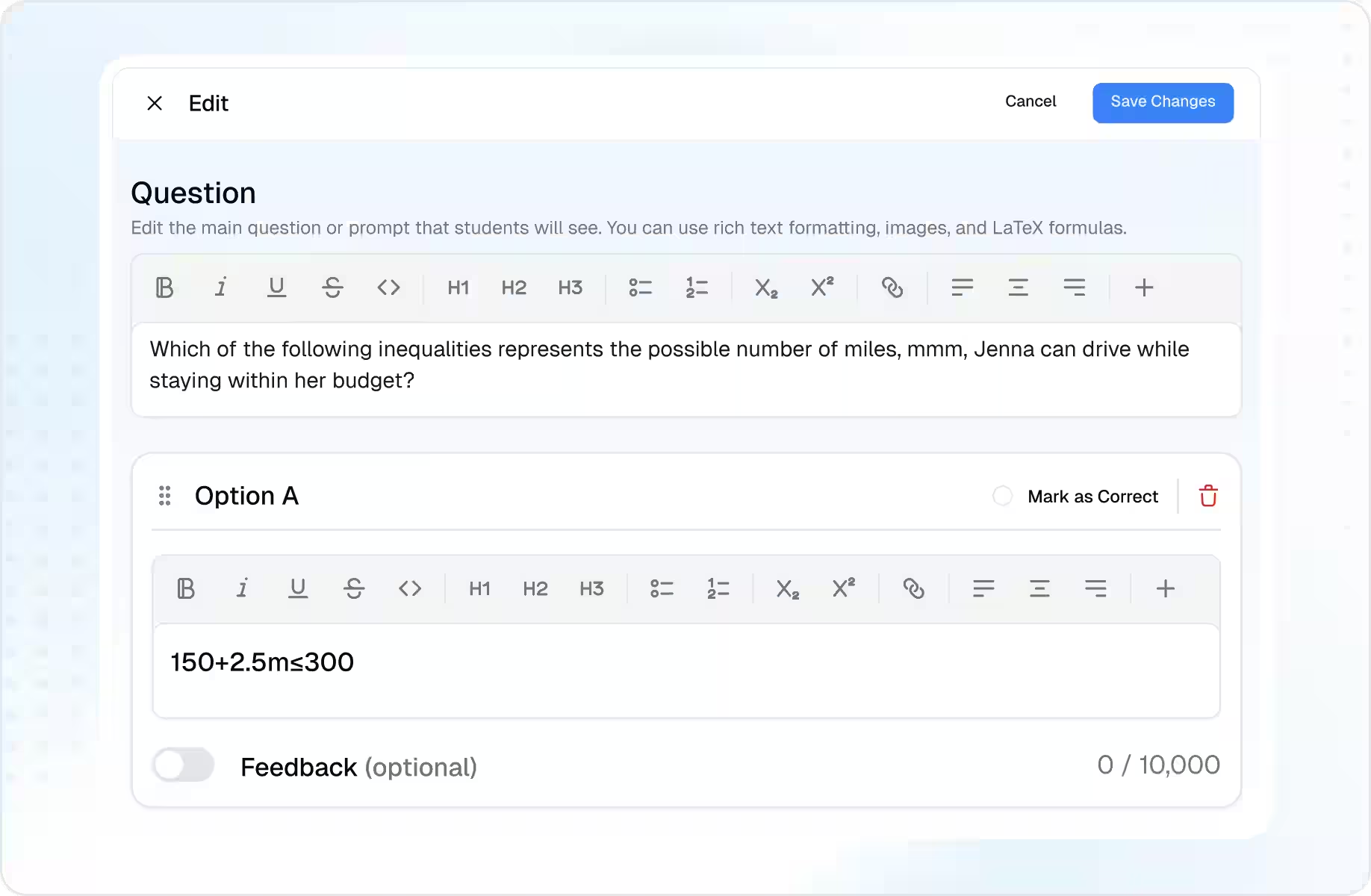
Answers & Solutions
Review the extracted answer content before approving a question.
From one PDF to a full practice pipeline
1
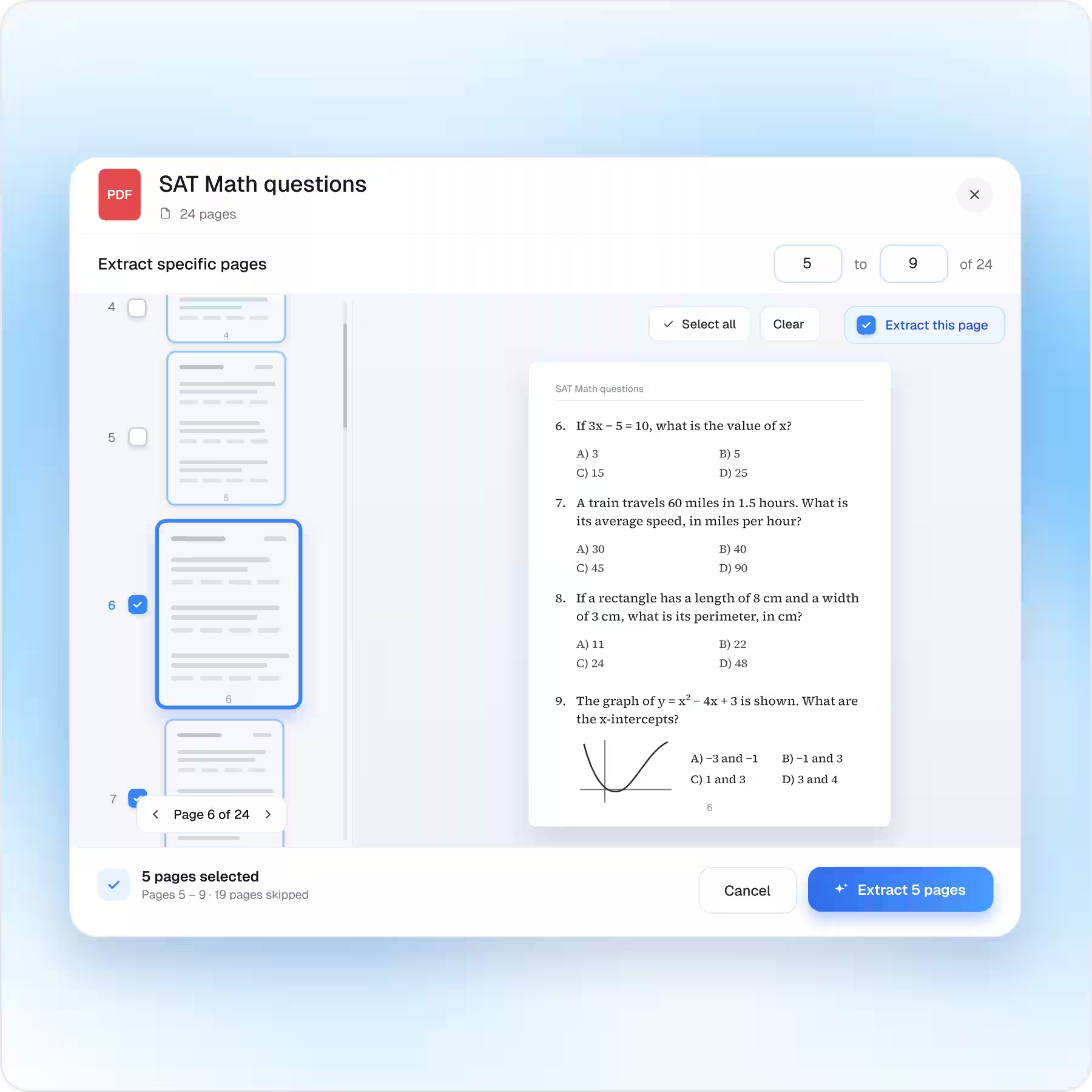
Extract Specific Pages
Have a 100-page PDF but only need one section?
Choose the pages you want to extract.
2
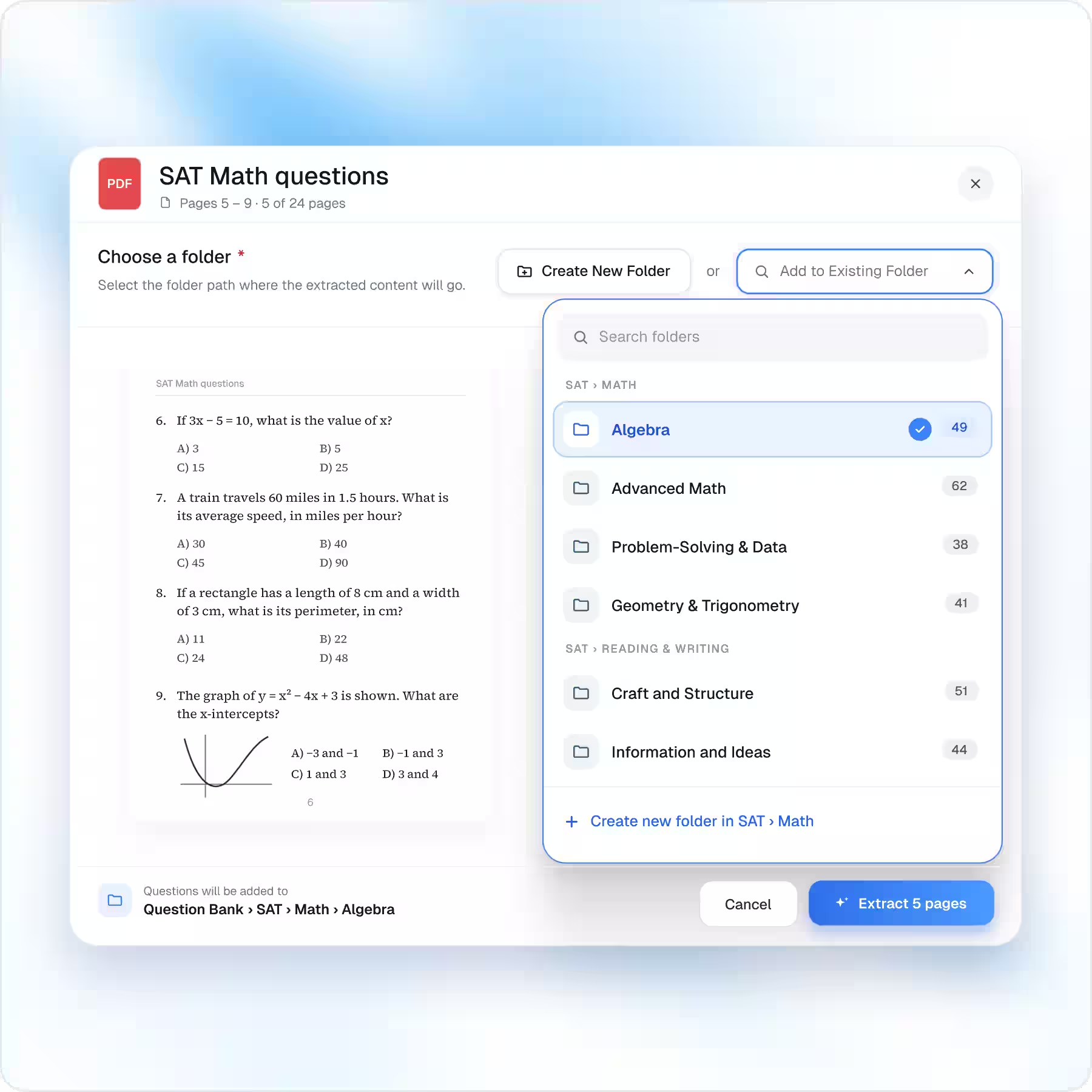
Choose Where Questions Go
Create a new Question Bank folder or add questions to an existing one.
3
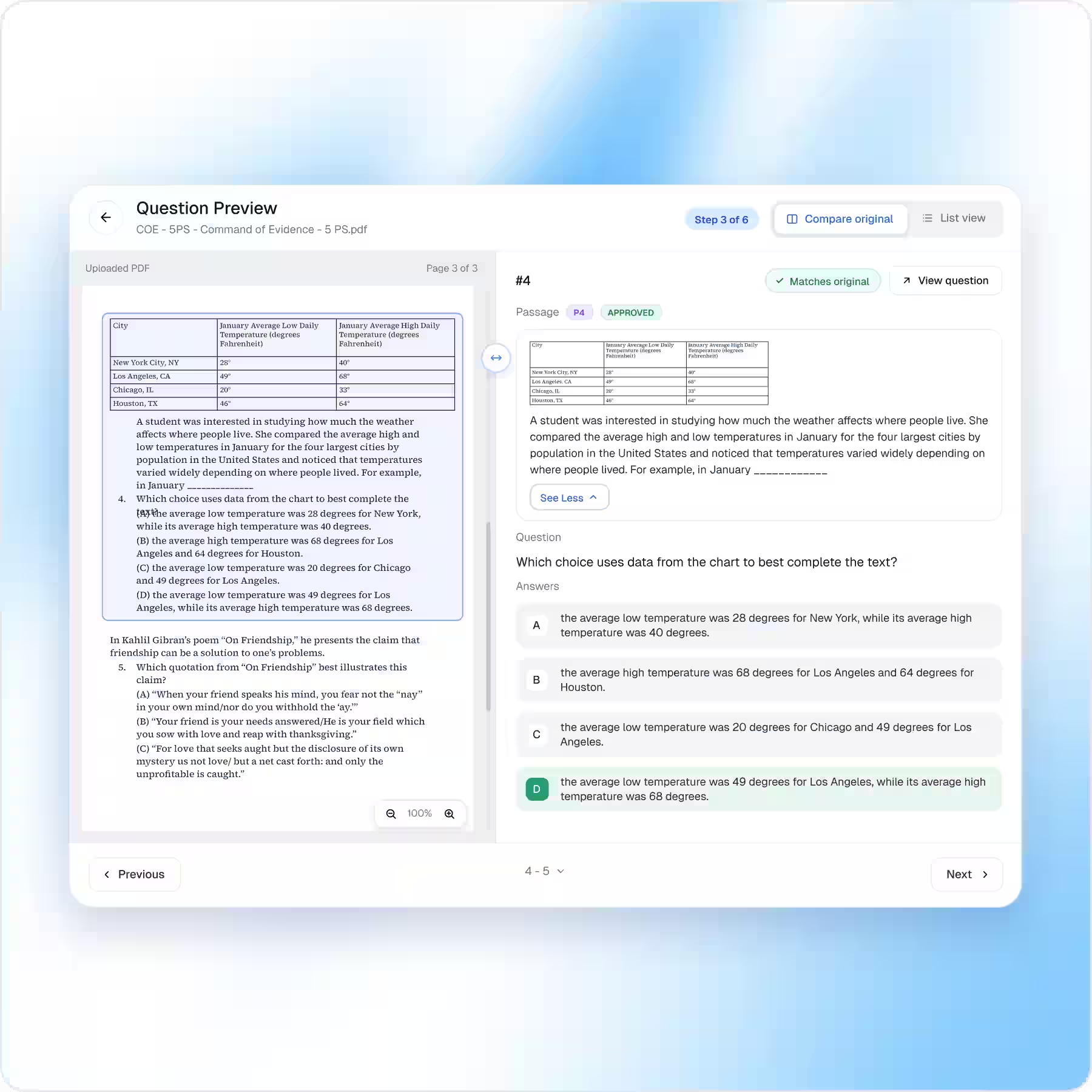
Compare With the Original
See the original PDF and extracted question side by side before you approve it.
4
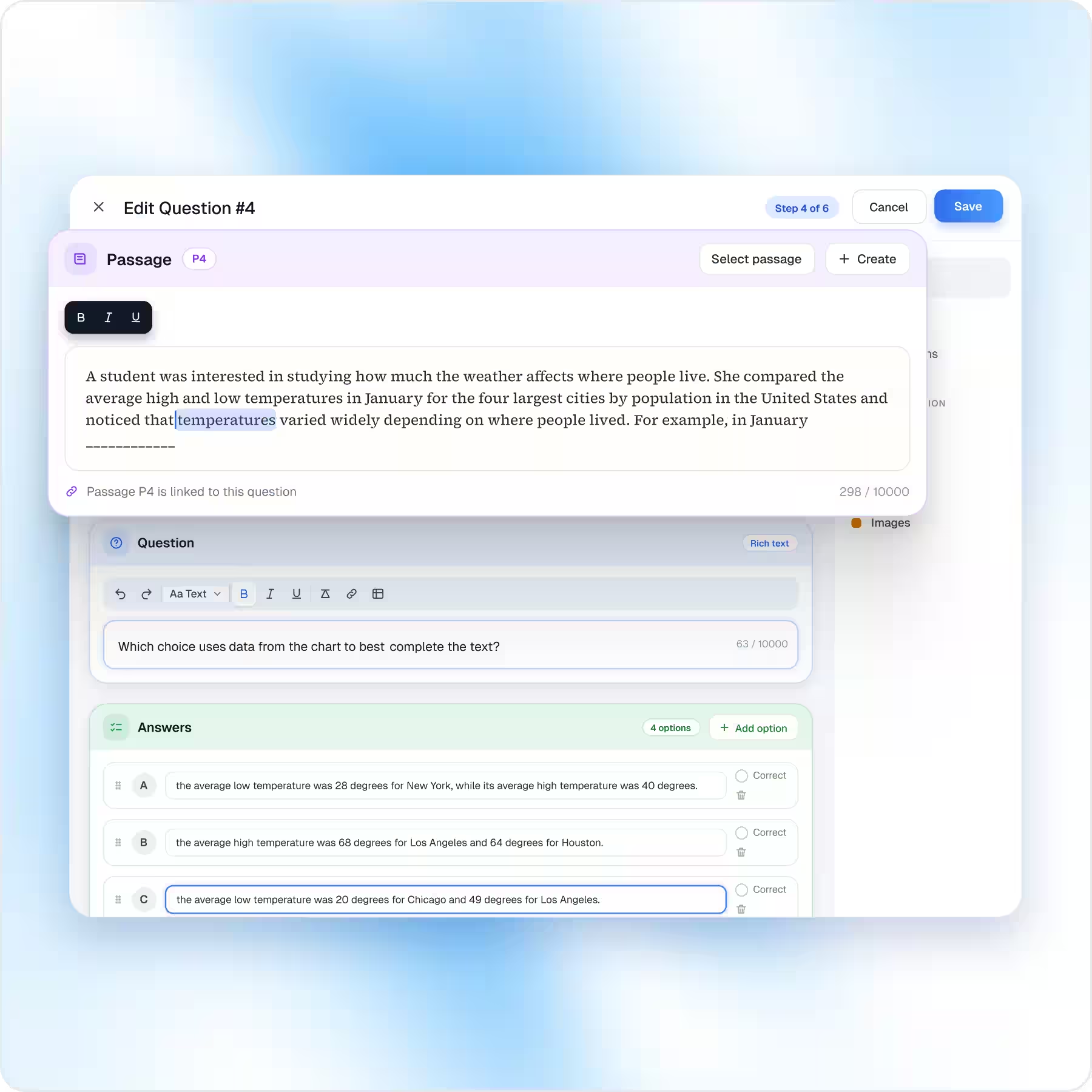
Edit Before You Publish
Change the: Question · Answers · Passage · Images before it reaches your Question Bank.
5
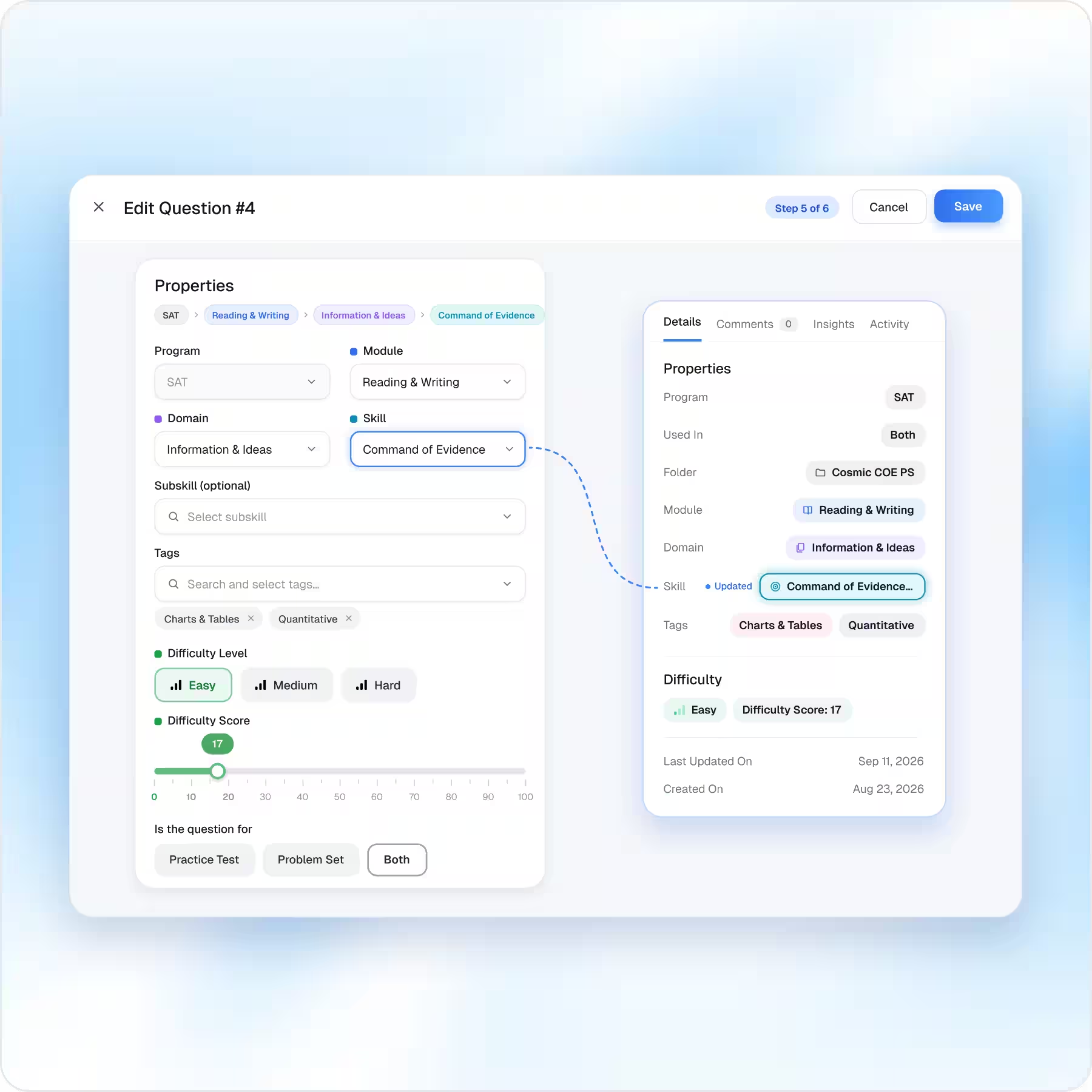
Configure Question Properties
Add or update: Domain · Skill · Subskill · Difficulty · Difficulty Score · Tags
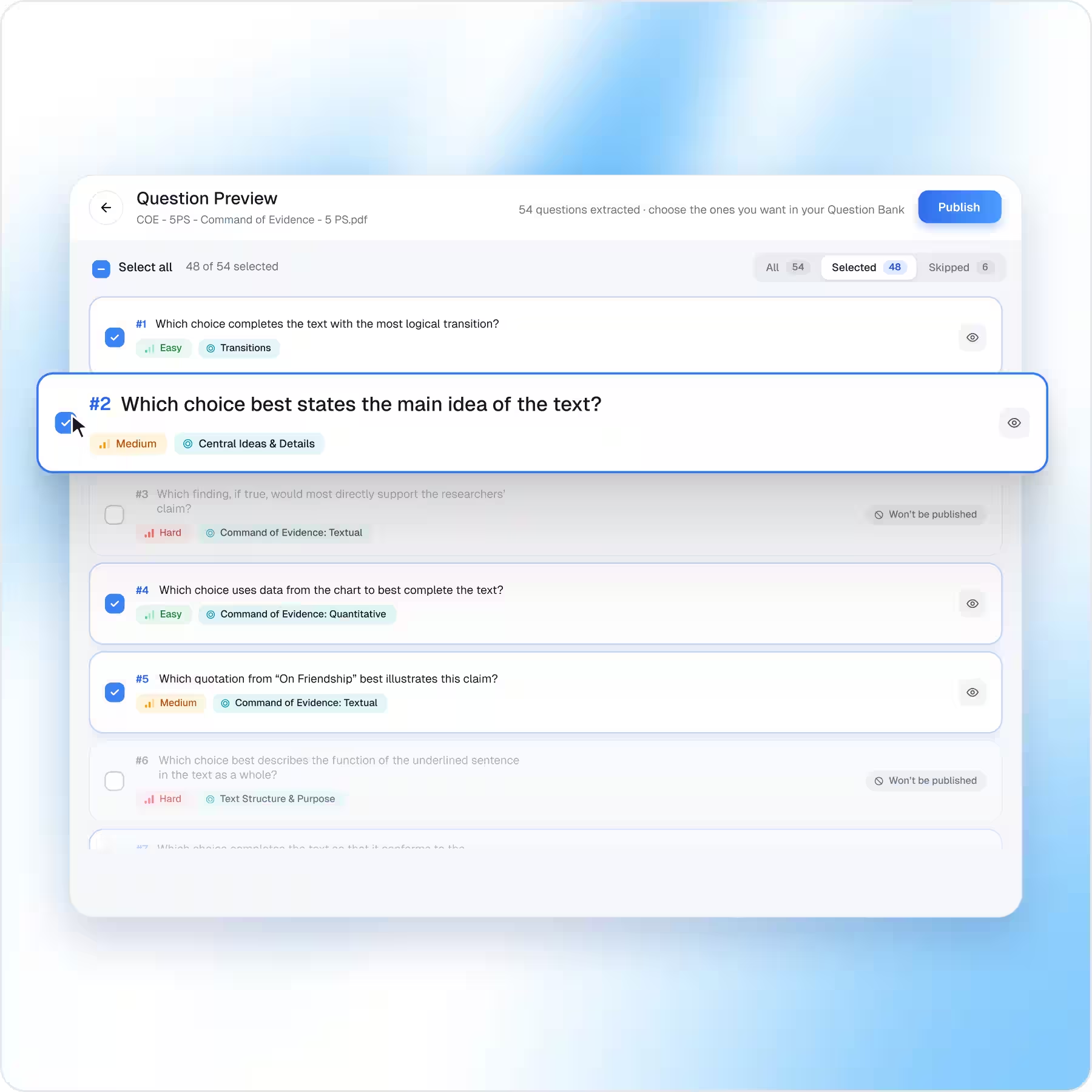
Approve Only What You Need
If EdisonOS extracts 54 questions, you don't have to publish all 54.
Review -> Select -> Approve
Your brand should stay front and center.
Give students and school partners an assessment experience that feels like it belongs to your program, not another tool they’ve been sent to use.
Start Free Trial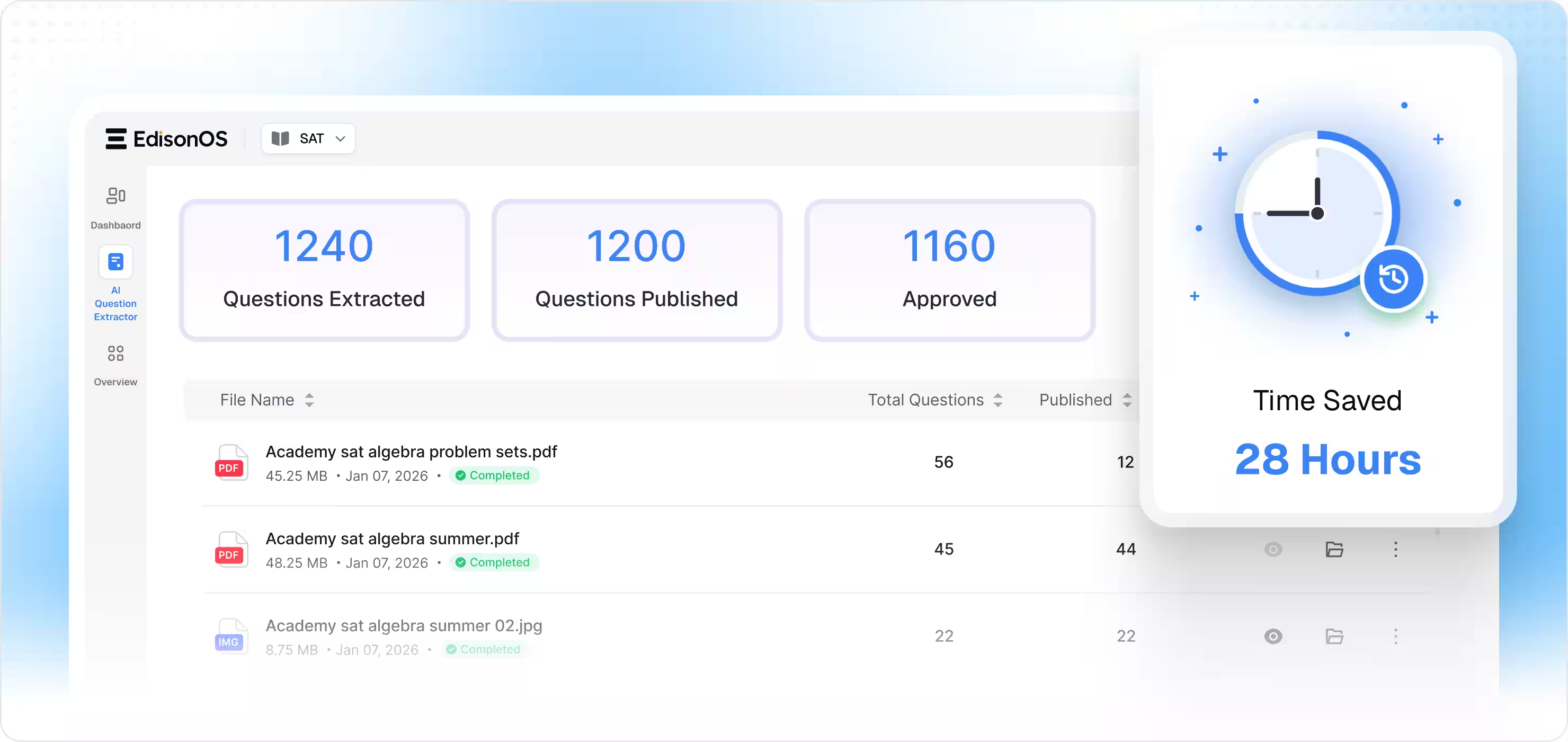
Trusted by solo tutors to school districts
100+ tutoring companies, learning centers, and schools run their test prep on EdisonOS.

Joe Krupnick
Krupnick Approach
The more we use your platform, the more impressed we are. It's been an invaluable resource for our needs!

Renata Lohmann
GradePower Learning
Thanks to your platform, students have the tools for effective Digital SAT practice, boosting performance

Michael Ermann
OliveBook
Amazing! Your responsiveness is unmatched, and I’m thrilled to be on your platform!





More Time With Students. Less Time Behind a Keyboard.
Your expertise belongs in the classroom, not in repetitive data entry.
Turn the questions you already have into reusable digital content with EdisonOS AI Question Extractor.
Turn the questions you already have into reusable digital content with EdisonOS AI Question Extractor.