AI Enhancer, more reliable AI question extraction, and new APIs
- Use AI Enhancer to fill in missing details in extracted questions and revert to the AI version before publishing.
- Get more reliable and accurate PDF question extractions.
- Create parent accounts, link them to students, and assign licenses through the API.
What’s new
Complete question details with AI Enhancer
Turn on AI Enhancer when you set up an extraction, and the AI Extractor fills in what the PDF doesn’t show for each question: skill, subskills, difficulty, correct answer and solution. It also writes feedback for each wrong answer choice.
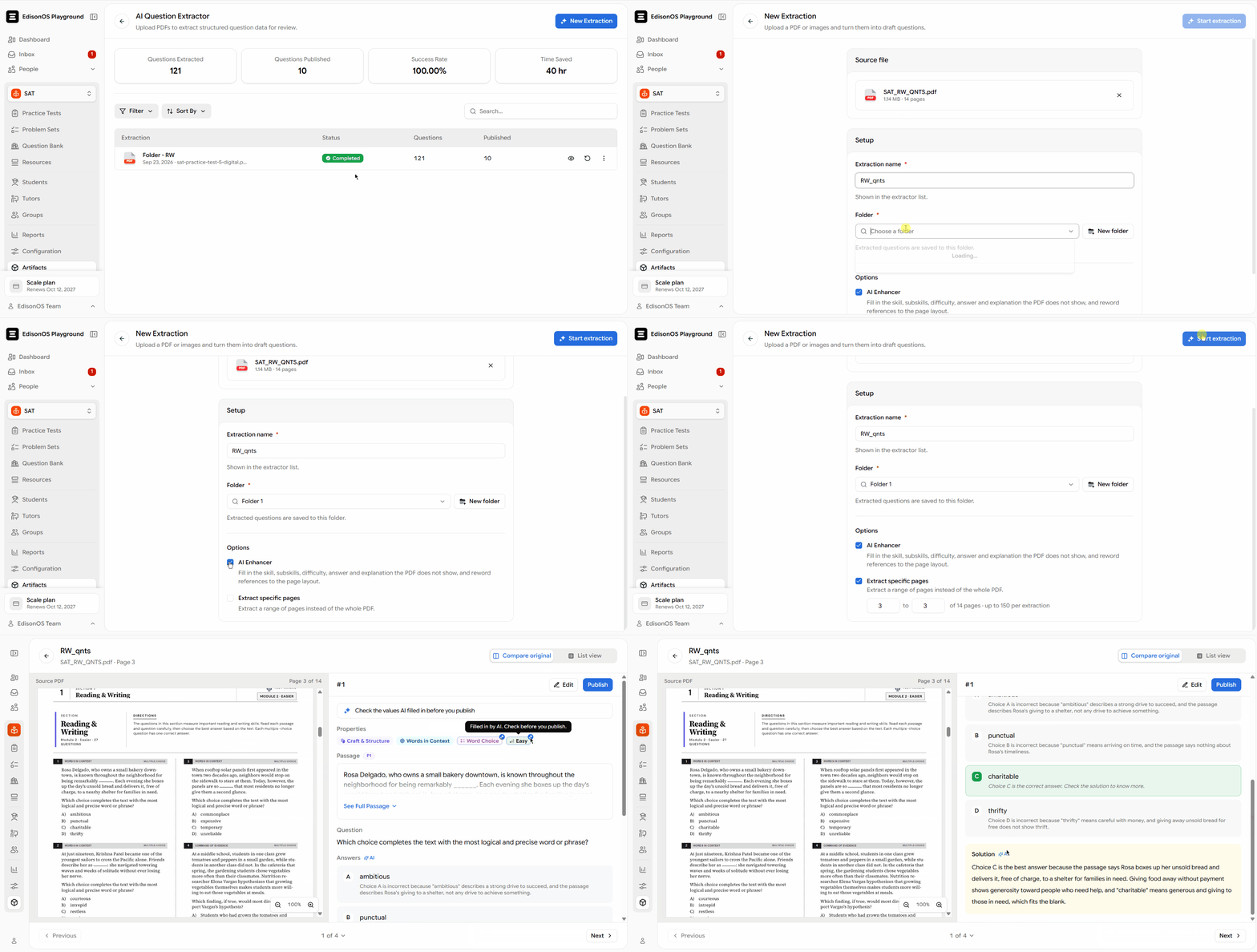
The AI Enhancer only fills in empty fields and marks what it added, so it never overwrites anything you’ve already entered.
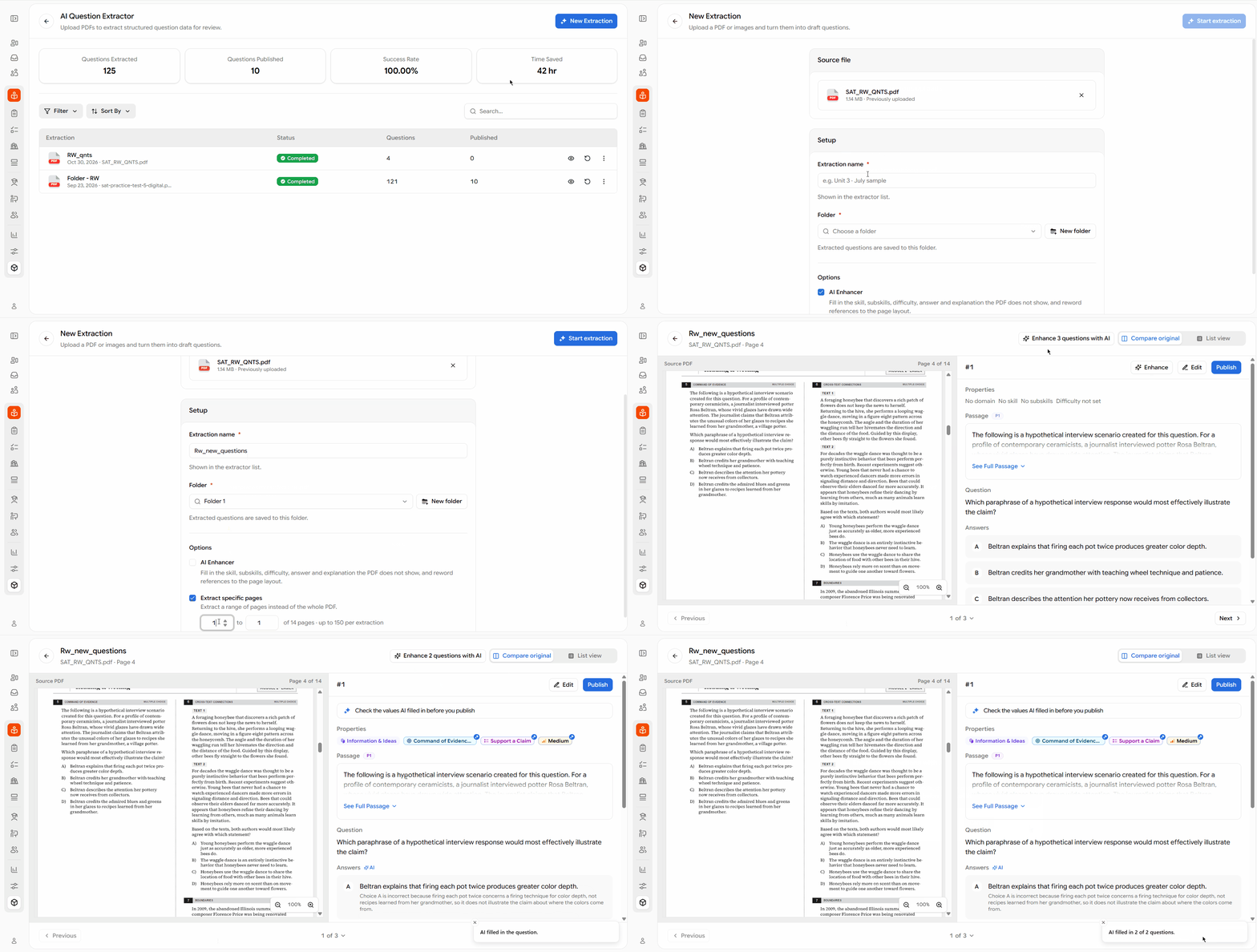
Enhance questions at any time
You don’t have to enhance during extraction. On the review screen, use Enhance N questions with AI for the whole batch, or Enhance for a single question. You’re told when a run finishes, including any questions it couldn’t enhance.
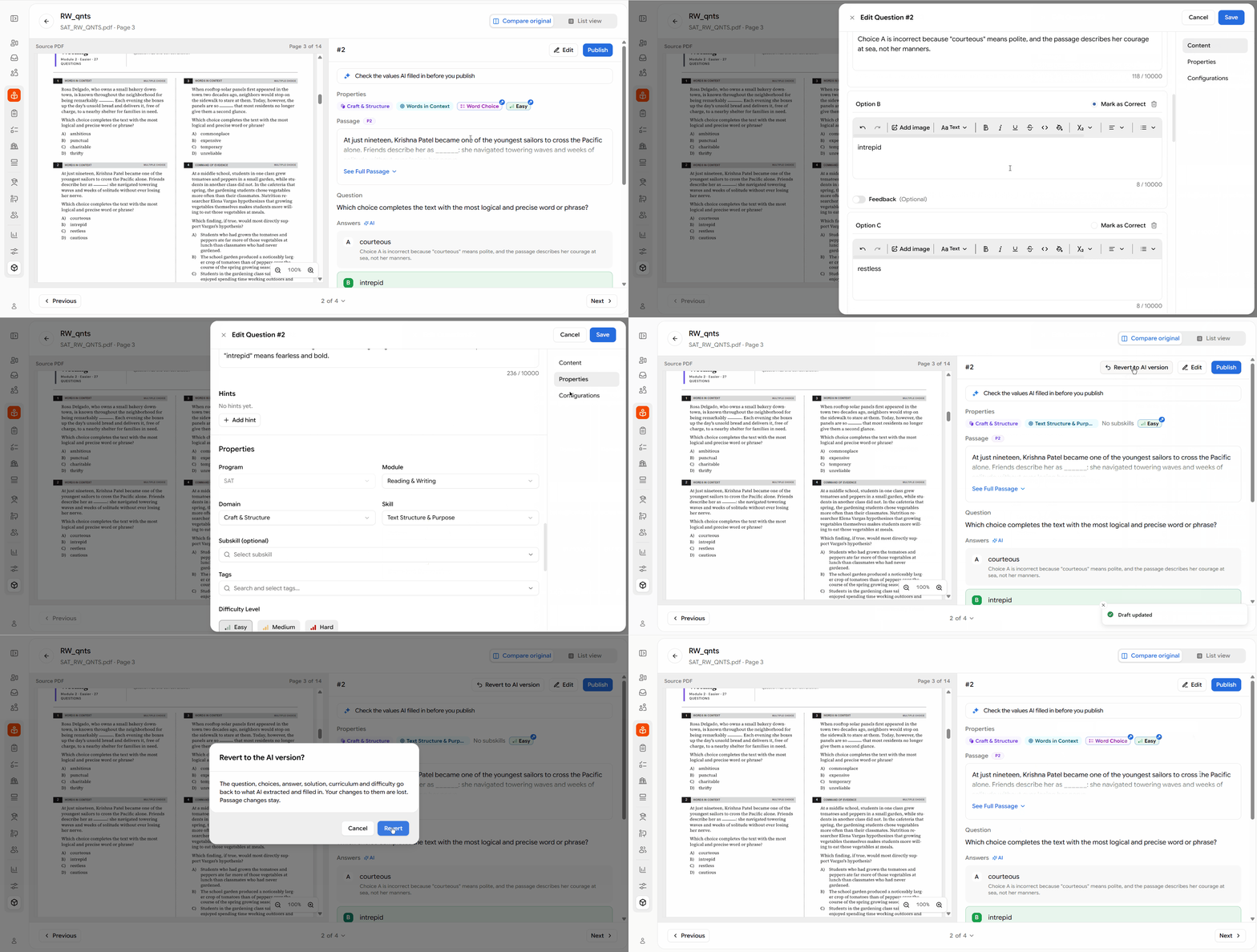
Start over with Revert to AI version
Edited a question and want to undo it ? Revert to AI version removes your edits and brings back what the AI extracted and filled in. You’ll be asked to confirm first. The option appears once you’ve edited a question, and it stays available until you publish it.
More reliable question extraction
Question extractions now run in the background, so they continue even if your connection drops.
Partial failure recovery
When some PDF pages fail to extract, questions from the remaining pages are retained, and the batch identifies the pages that failed.
Review hard-to-read questions
Questions that are difficult to read in the source PDF are automatically marked Needs review, making them easier to identify and verify before approval.
Improved extraction accuracy
Math, italics, underlines, indented quotes, centred titles, and table layouts are now preserved more accurately. Figures retain their original placement, and questions are assigned to the skills or subskills specified in the PDF.
Set up parents and licenses through the API
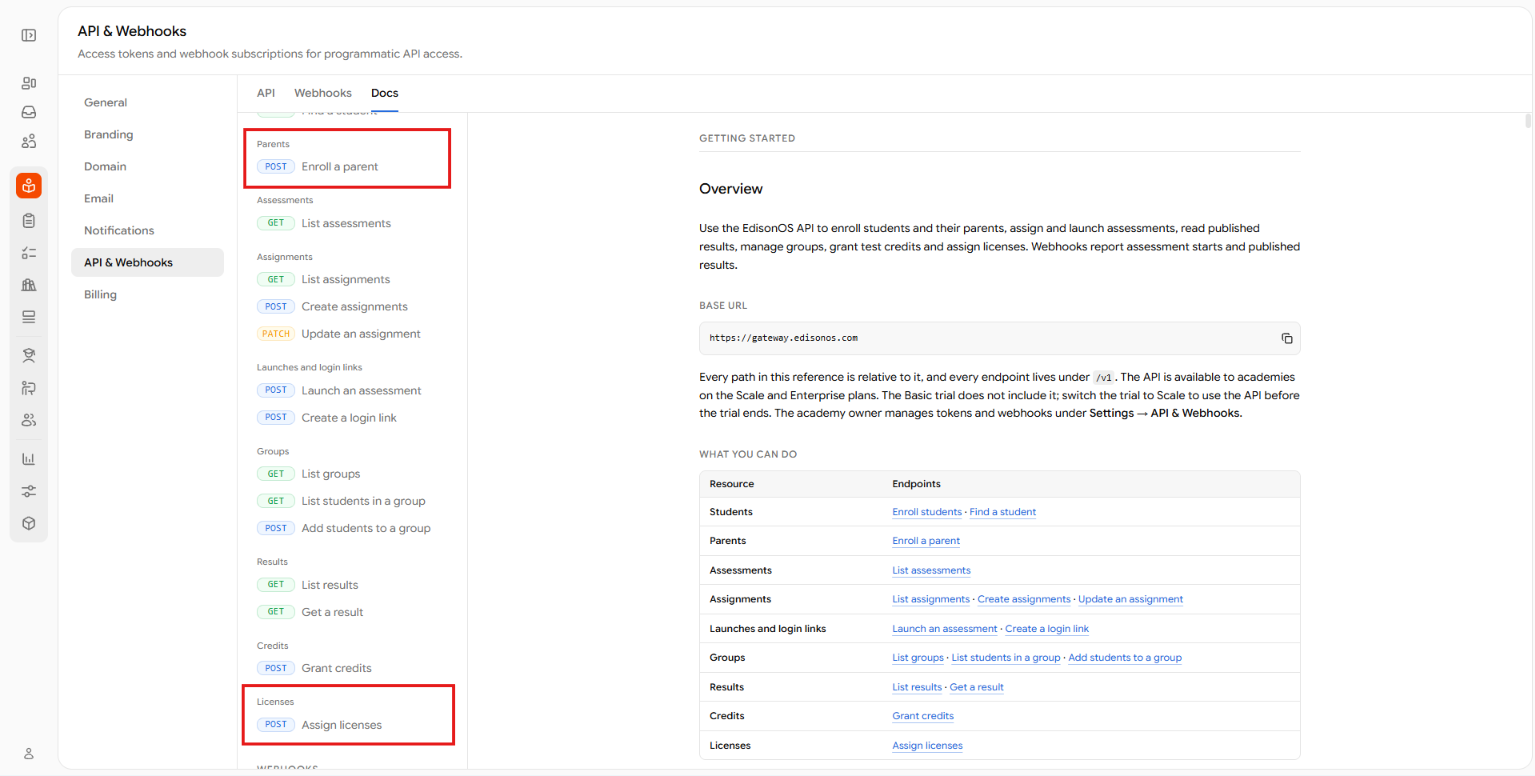
You can now create parent accounts and link them to students through the API. You can also assign purchased licenses to students through a separate API endpoint. See Enroll a parent and Assign licenses under Settings → API & Webhooks.
Other improvements
- Shared passages now retain question-specific highlights in both the extraction review and question editor.
- Questions published from the AI Extractor now automatically include standard feedback for the correct answer choice.
- The typed-in answer box now follows Bluebook’s validation rules, flagging only repeated or leading slashes and repeated decimal points.
- Staff can now open any attempted question in a student’s Review report, including questions that haven't been reviewed.
- Filter a student’s Attempted Questions by review set name.
- Deactivated student reports now display a Student deactivated notice instead of an error.
Not sure where to start? Let's figure it out together.