New programs, smarter AI tools, and Google and Clever sign-in
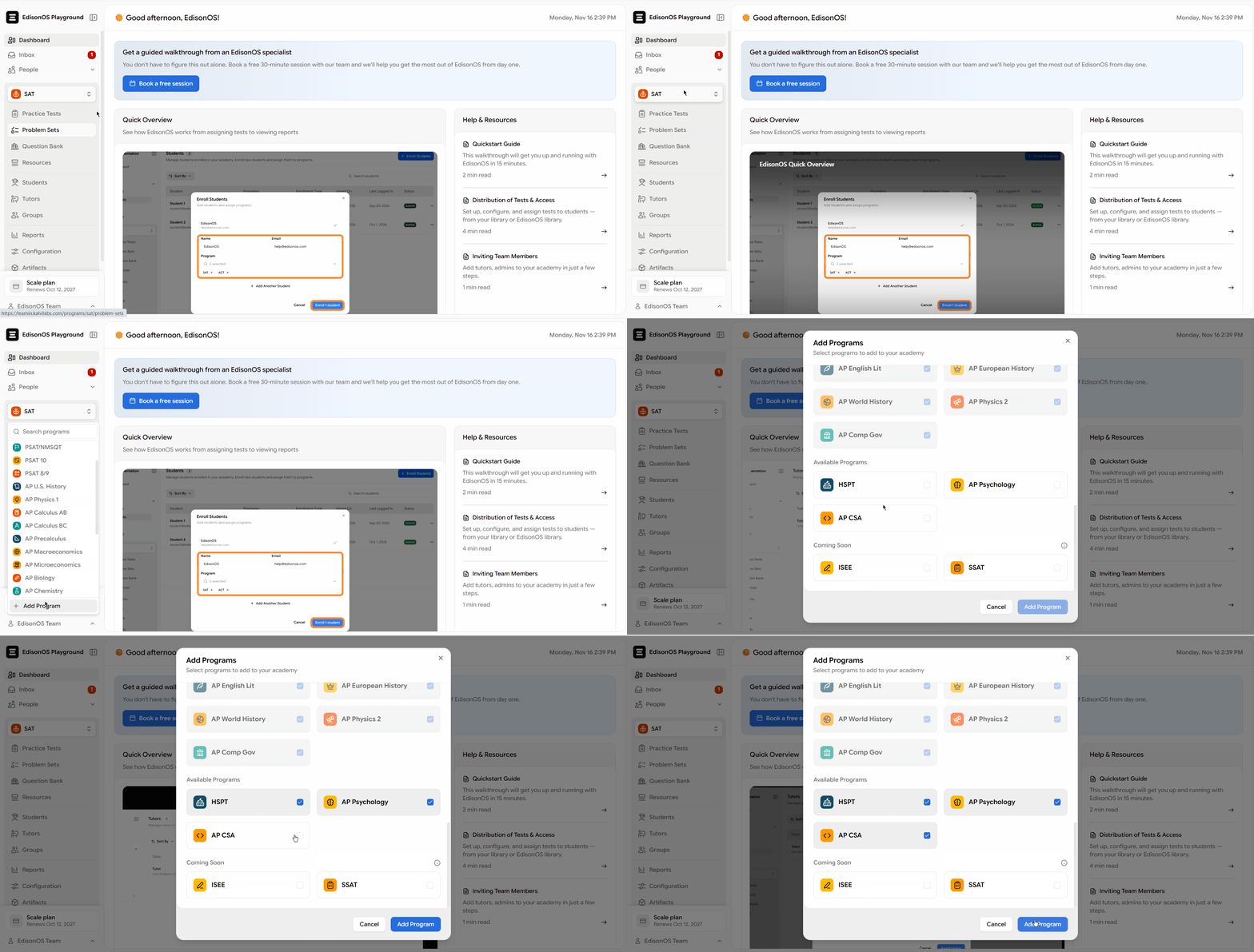
- HSPT, AP Psychology, and AP Computer Science A are now available as full programs.
- AI Enhancer can now fill missing extracted question details, generate solutions, and provide feedback for wrong answer choices.
- Question extraction is more reliable, with background processing, partial failure recovery, and improved formatting preservation.
- Students can now access AI Walkthroughs with three levels of detail for reviewed questions.
- Students can raise doubts directly from reviewed questions using Ask Tutor.
- Google and Clever sign-in are now available for academy members on paid plans.
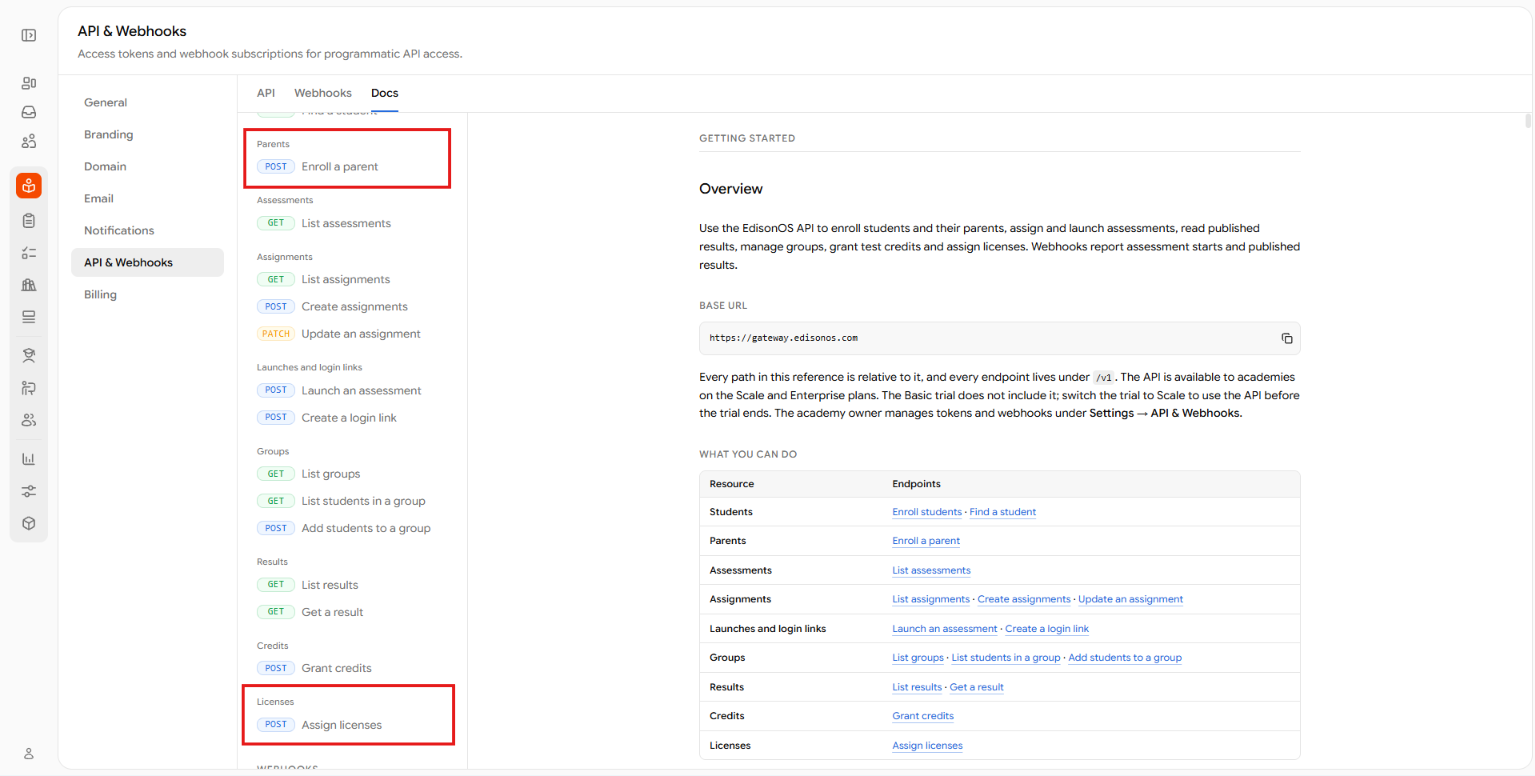
- New API endpoints support parent account creation, parent-student linking, and license assignment.
- Notifications and resource management have received several improvements.
What’s new
Three new programs are now live
HSPT, AP Psychology, and AP Computer Science A are now available as full programs, with tests designed around their respective question types, exam formats, timing, and structure.
The AI Question Extractor now also supports AP Psychology and AP Computer Science A, making it easier to extract questions from your own materials and add them to the Question Bank.
Complete question details with AI Enhancer
Turn on AI Enhancer when you set up an extraction, and the AI Extractor fills in what the PDF doesn’t show for each question: skill, subskills, difficulty, correct answer and solution. It also writes feedback for each wrong answer choice.
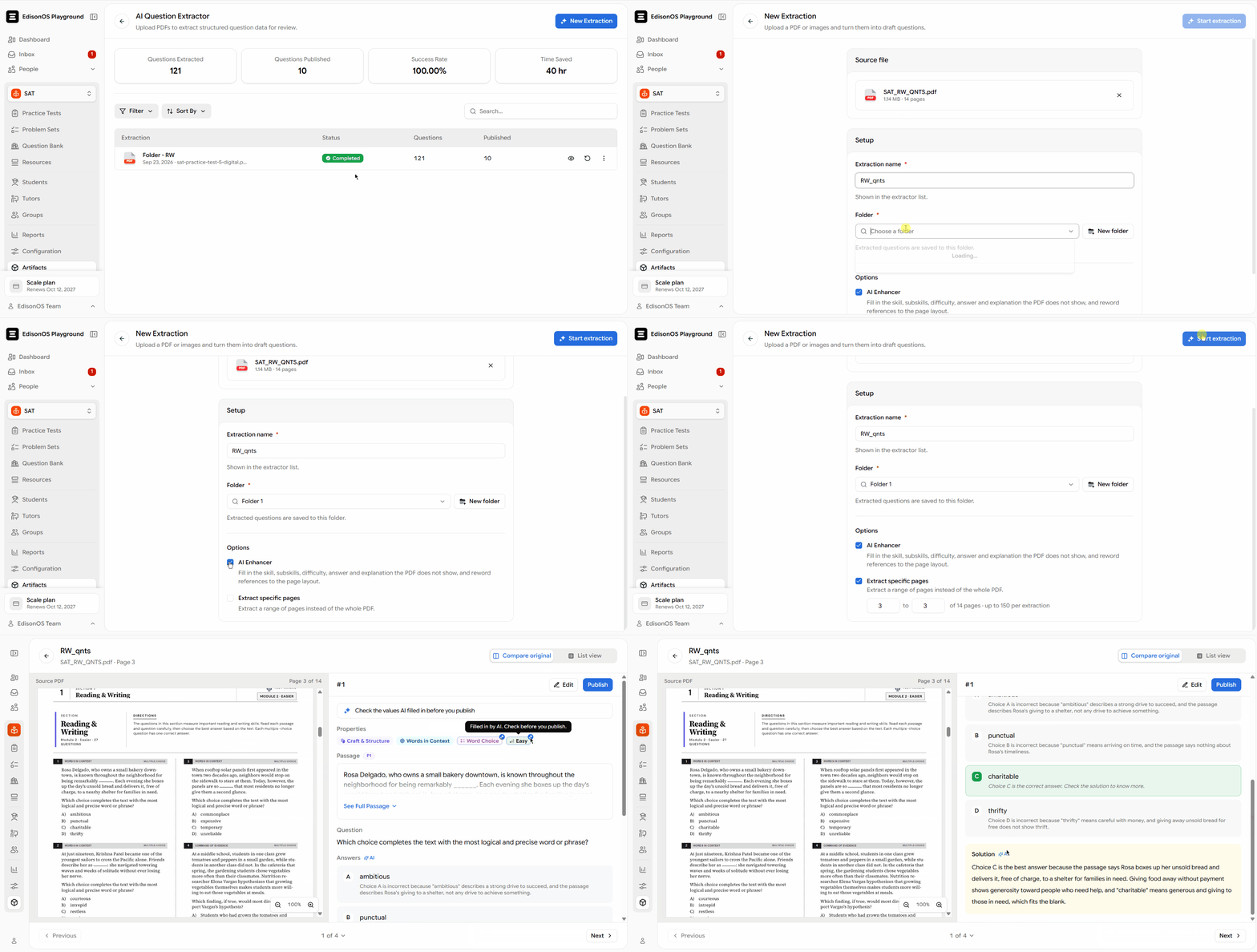
The AI Enhancer only fills in empty fields and marks what it added, so it never overwrites anything you’ve already entered.
Enhance questions at any time
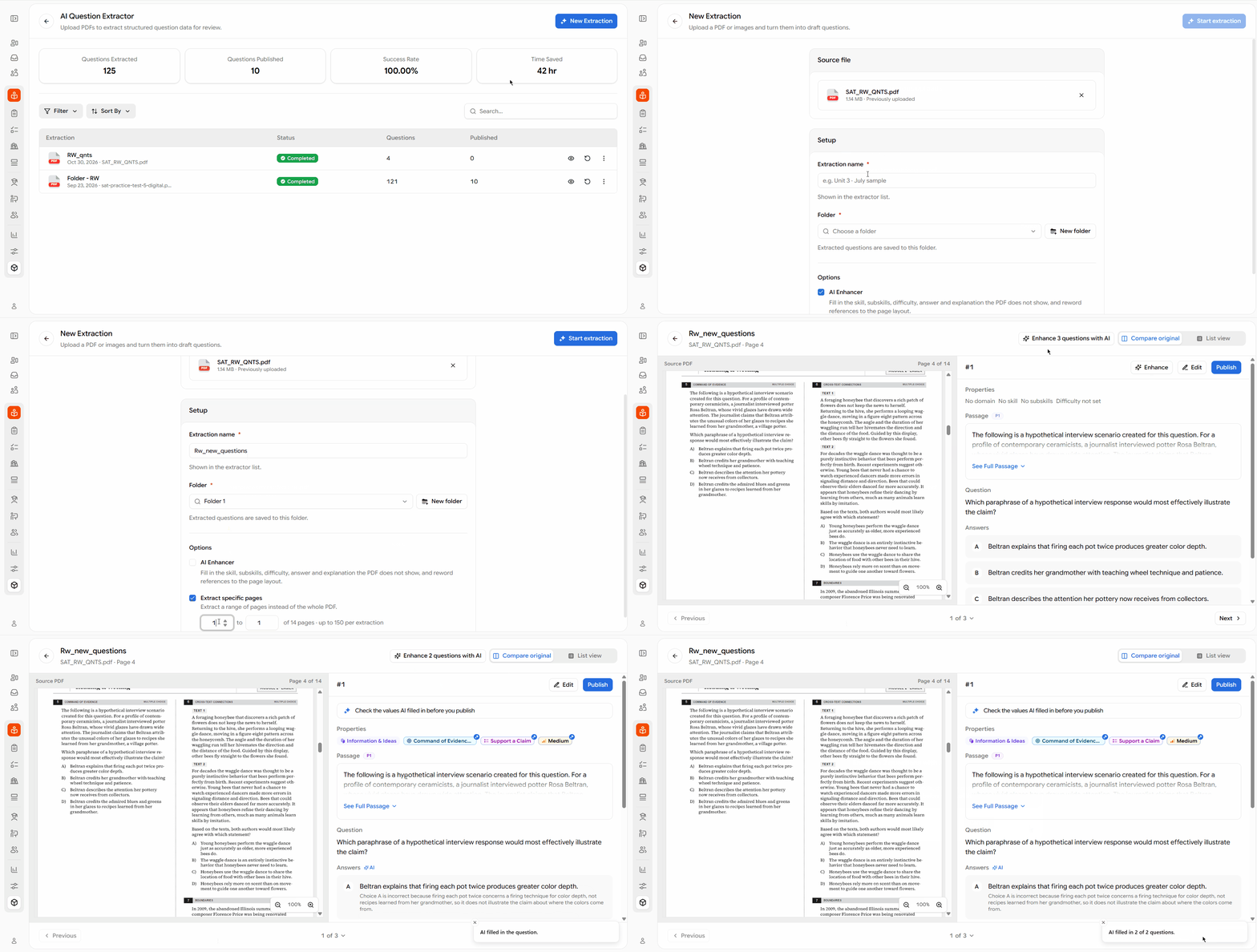
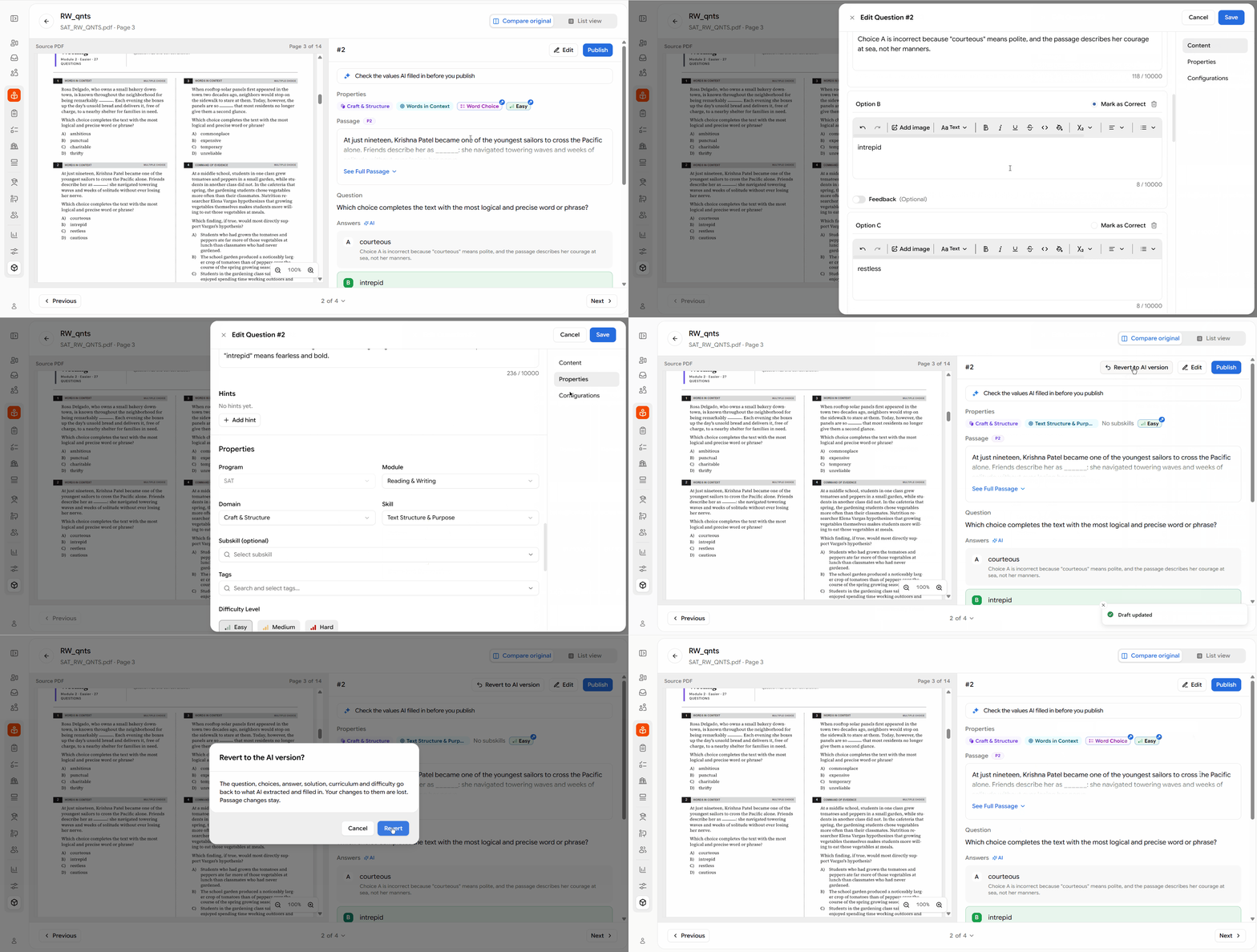
You don’t have to enhance during extraction. On the review screen, use Enhance N questions with AI for the whole batch, or Enhance for a single question. You’re told when a run finishes, including any questions it couldn’t enhance.
Start over with Revert to AI version
Edited a question and want to undo it ? Revert to AI version removes your edits and brings back what the AI extracted and filled in. You’ll be asked to confirm first. The option appears once you’ve edited a question, and it stays available until you publish it.
Review mode: AI Walkthroughs and Ask Tutor
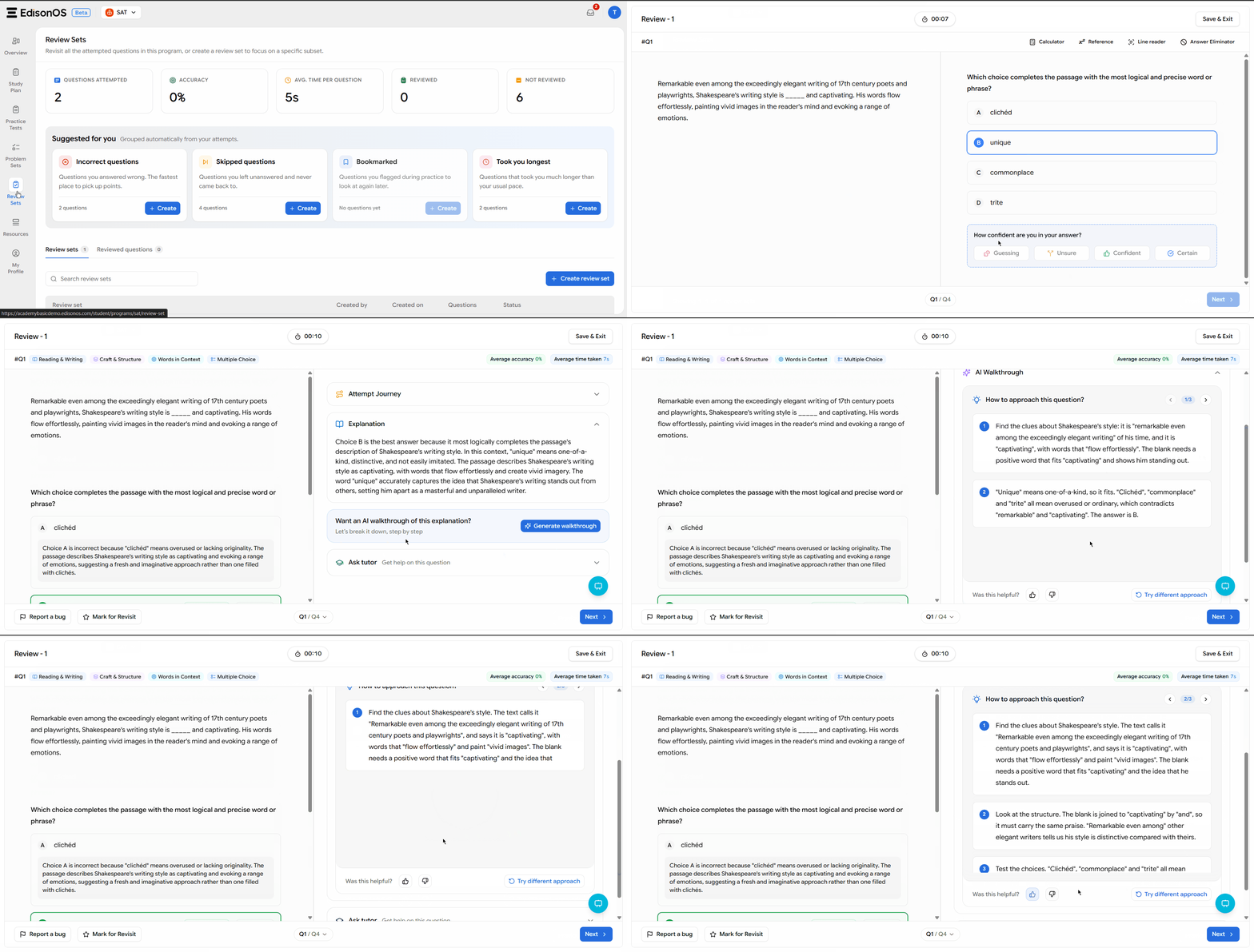
Help students understand questions with AI Walkthroughs
Students can now open an AI Walkthrough for a reviewed question and understand how to solve it step by step. Students can explore up to three different solutions using Try Different Approach and rate their walkthrough experience.
Tutors can also see which walkthrough levels students have opened and how they rated them, giving them better visibility into how students are reviewing questions.
Let students ask tutors directly from reviewed questions
Students can now use Ask Tutor to raise questions about a reviewed question and get help from their tutor.
Tutors receive notifications when students submit questions and can mark them as resolved once addressed. Students without an assigned tutor can send their questions to an academy admin or owner instead.
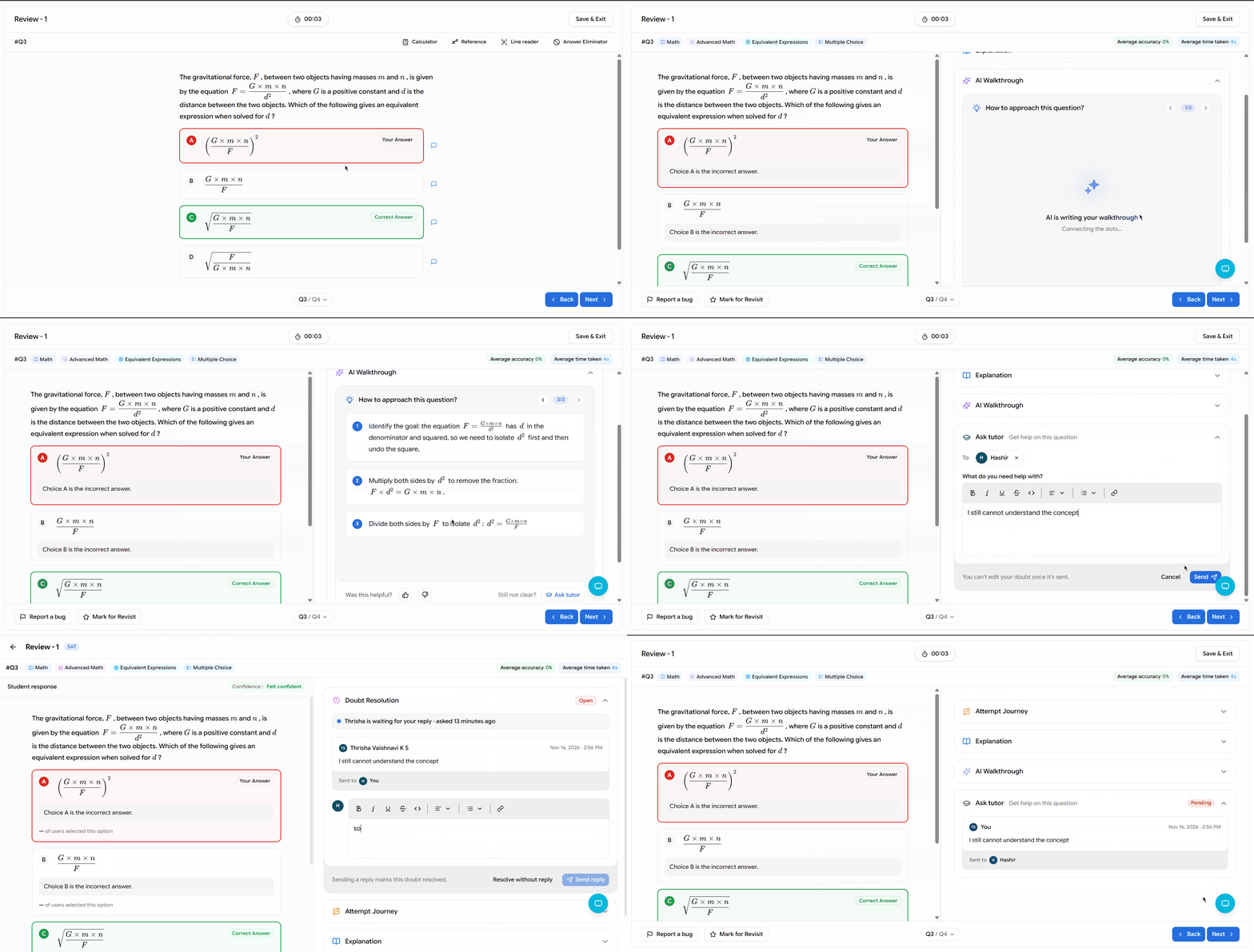
From the most detailed AI Walkthrough, students can also use the Ask tutor button to jump directly to the Ask Tutor card.
Identify and report incorrect answer keys
When AI identifies an incorrect answer key, it skips the walkthrough and alerts the student. The question is reported as Marked Answer is Incorrect, along with supporting proof. Users can also select this issue type when reporting a question manually.
Sign-in: Google and Clever
Sign in with Google :
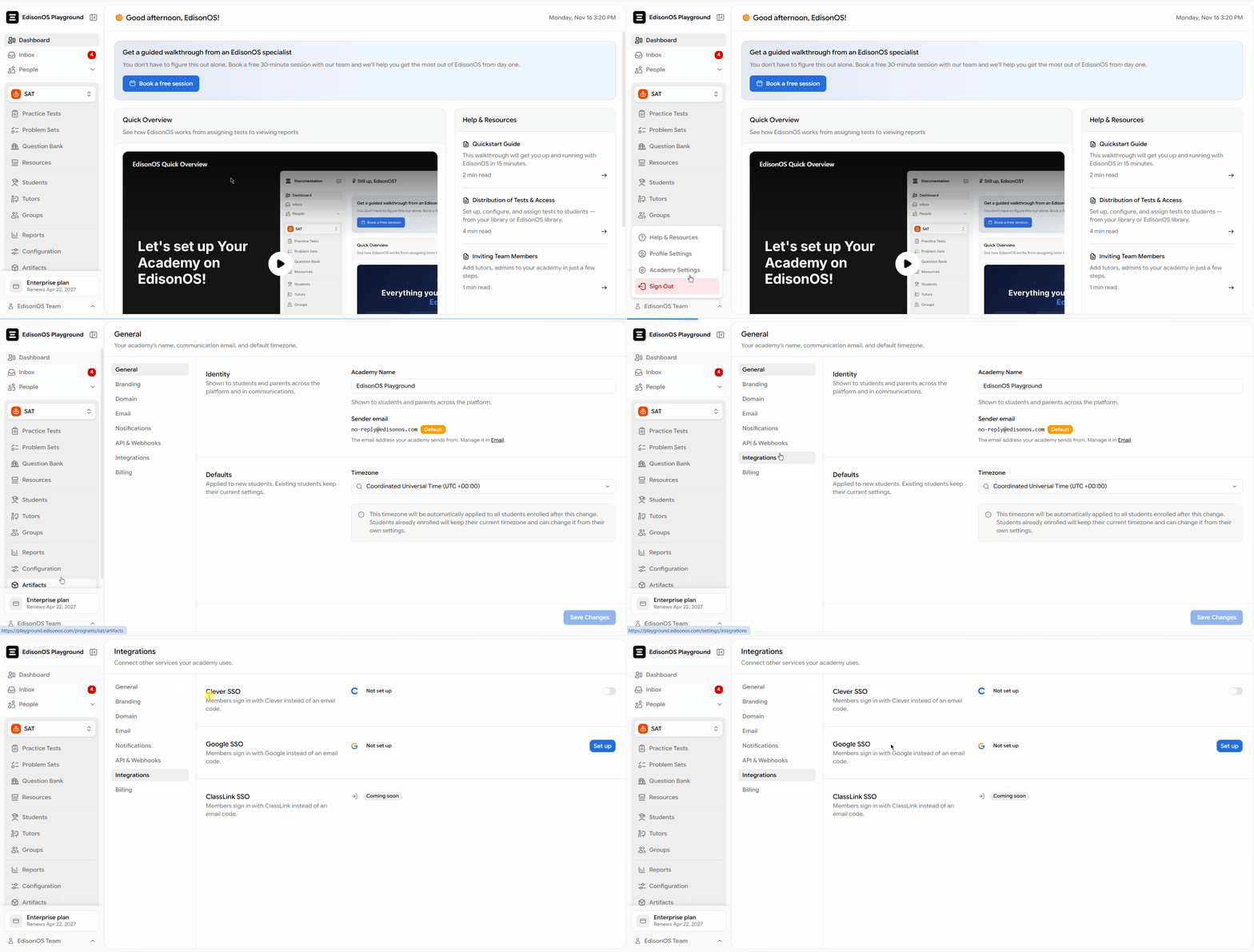
Owners on paid plans can now set up Google sign-in in Settings → Integrations → Google SSO to add Sign in with Google to their academy’s login page. It works for existing members across all roles and does not create new accounts. Setup takes three simple steps.
Sign in with Clever :
Owners on paid plans can now connect Clever through Settings → Integrations → Clever SSO, allowing students, teachers, staff, and district administrators to sign in using their Clever accounts. Sign-in can also be restricted to a specific school.
When students open a test invitation link through Clever, they can go directly to the test if Clever already provides the information required by the link.
Set up parents and licenses through the API
You can now create parent accounts and link them to students through the API. You can also assign purchased licenses to students through a separate API endpoint. See Enroll a parent and Assign licenses under Settings → API & Webhooks.
Other improvements
- Shared passages now retain question-specific highlights in both the extraction review and question editor.
- Questions published from the AI Extractor now automatically include standard feedback for the correct answer choice.
- The typed-in answer box now follows Bluebook’s validation rules, flagging only repeated or leading slashes and repeated decimal points.
- Track student doubts in a new Doubts column in Attempted Questions, filter by Pending or Resolved, and sort with pending doubts first.
- Choose who is notified when a doubt is raised or resolved, and send Test started emails to owners and admins, in Notifications settings.
- SAT and PSAT typed-in answers are now graded by the official answer-box rules, so equivalent forms like .6666 and 0.667 for 2/3 are accepted automatically.
- Students with time accommodations can move on from a timed section once the standard time is used.
- Admins can now let students download files and quiz resources. Downloads are off by default.
Not sure where to start? Let's figure it out together.