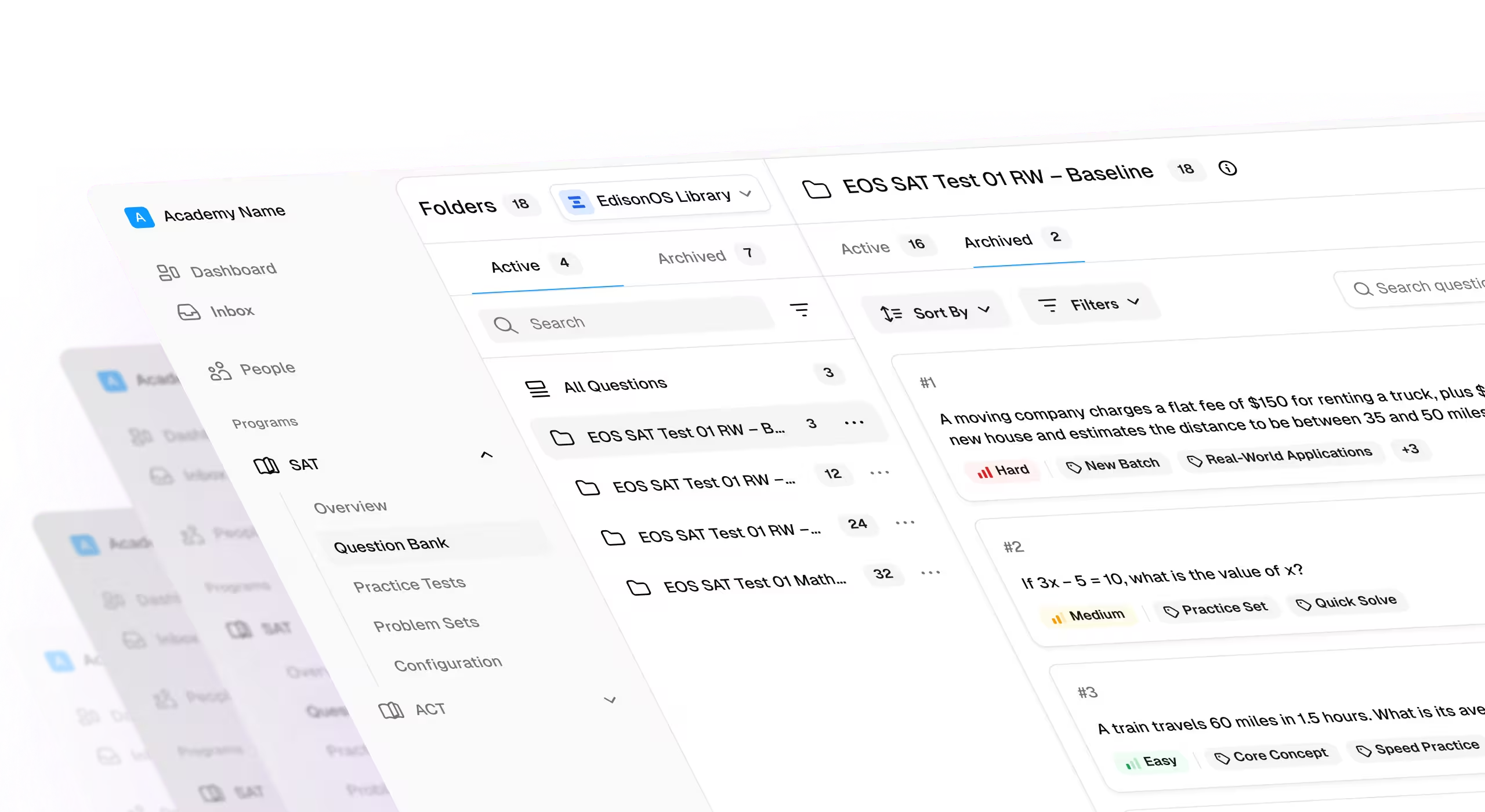
Review Mode, question-level insights, and Excel exports
- Background Excel exports with completion notifications.
- Question-level performance insights.
- Personalized review sets for individual students.
- Group-level assignment of credits, licenses, and content.
- Retake limits for study-plan activities.
- Study-plan notifications for students and parents.
- Support for additional AP and PreACT Secure papers.
- Improved privacy controls for tutors.
- More reliable bulk selection and reporting workflows.
1. Create personalized review sets for students
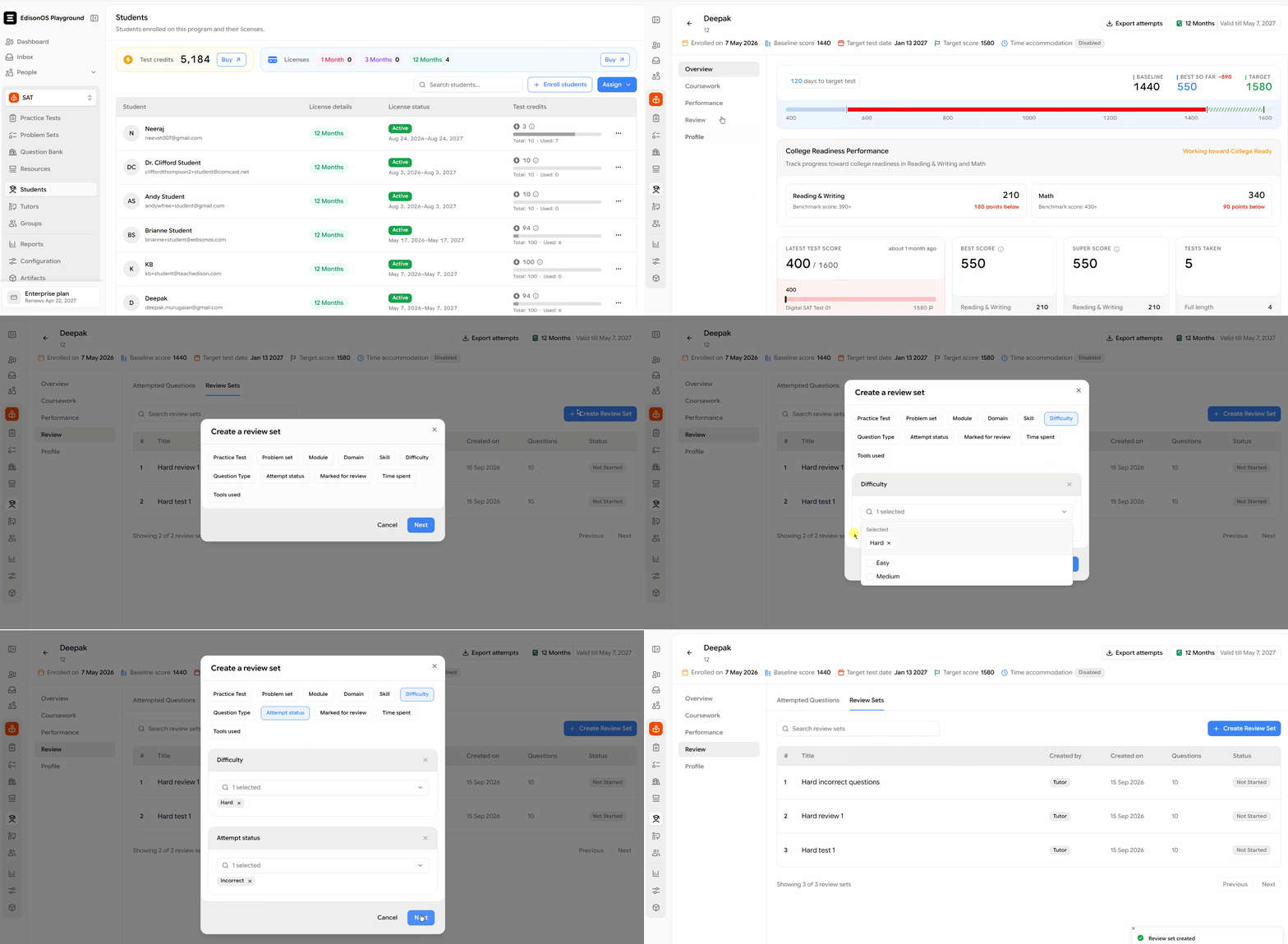
Admin or tutor can now select specific questions a student attempted and turn them into a personalized review set. This makes it easier to target individual learning gaps instead of assigning the same review work to every student.
Review sets can also include questions the student has never opened, giving more control over the skills and topics included in the review
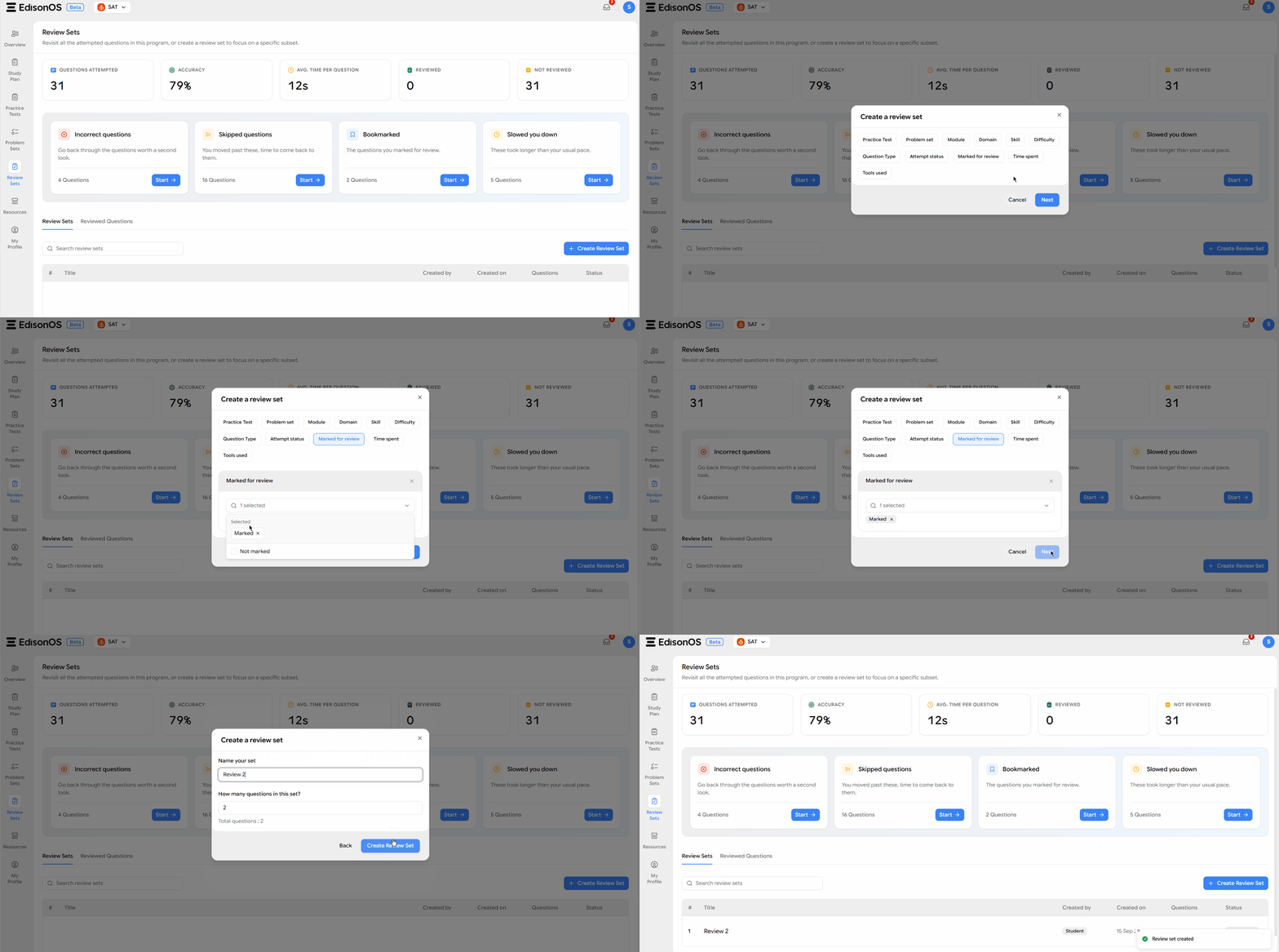
Let students build review sets that fit their needs
Students can create and name their own review sets and choose how many questions each set should contain. This gives them a more flexible way to organize practice around their own study goals.
2. Export detailed reports to Excel
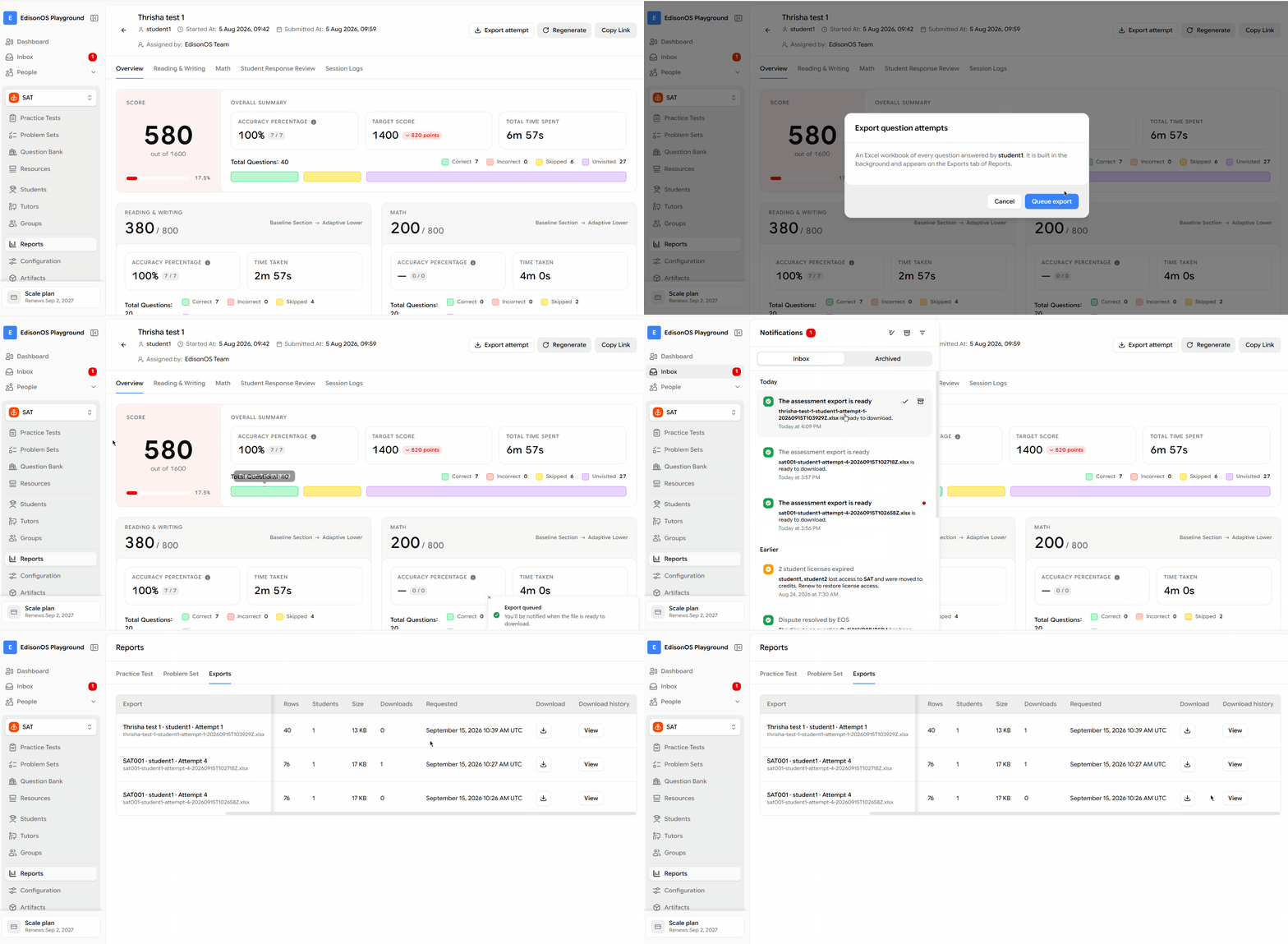
Use the new Exports tab in Reports to export detailed Excel files for practice tests, problem sets, students, or groups. Exports include question-by-question data and run in the background, so you can continue working while the file is prepared.
You’ll receive a notification when an export is ready. Completed exports remain available for 30 days.
3. Understand performance by question
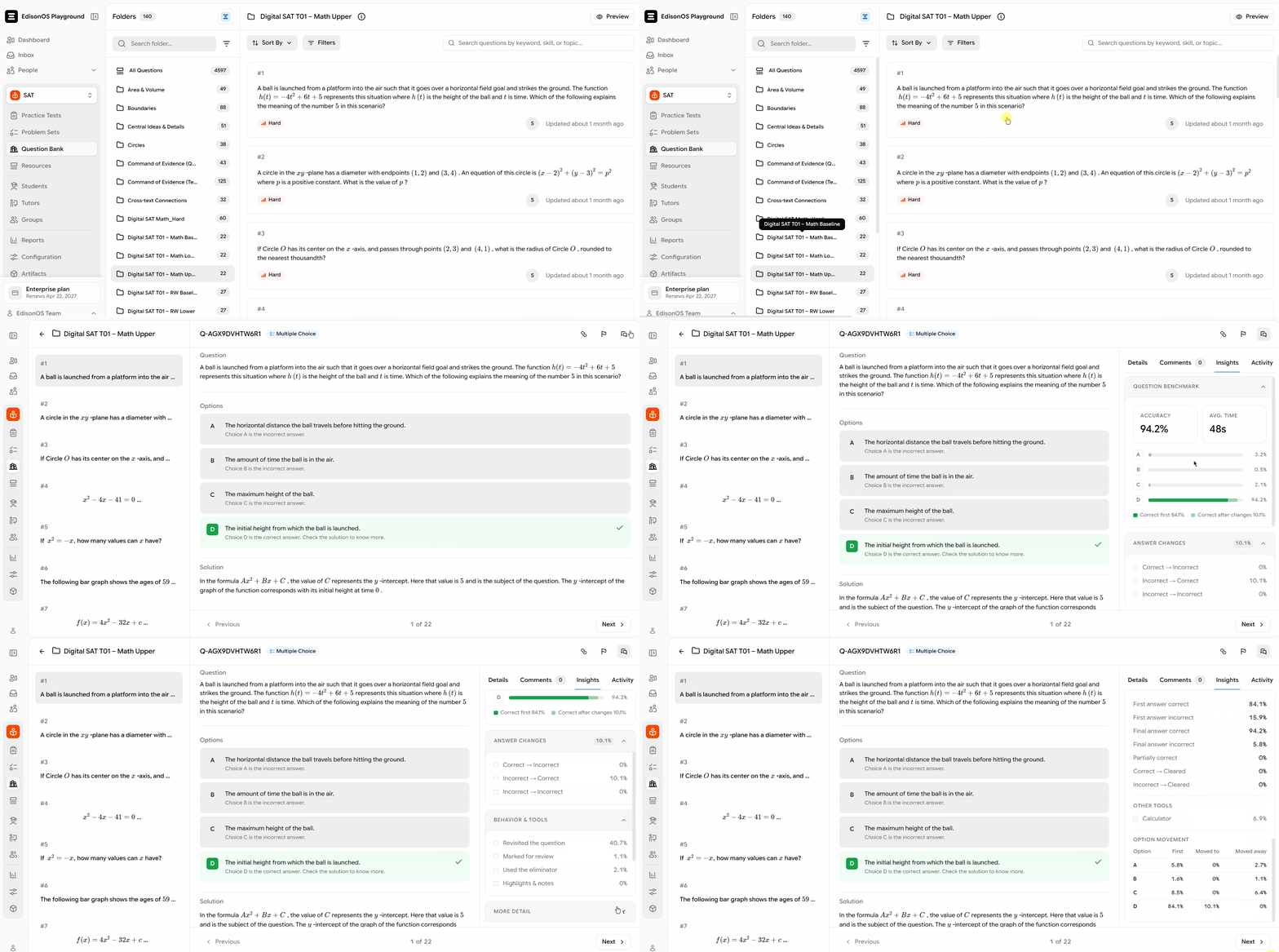
The new Insights tab in the Question Bank provides an overview of performance for a specific question. Review accuracy, average time spent, and the incorrect answers students selected most often.
Use these insights to identify difficult concepts, spot common misconceptions, and decide which questions need clarification or revision.
4. Group management
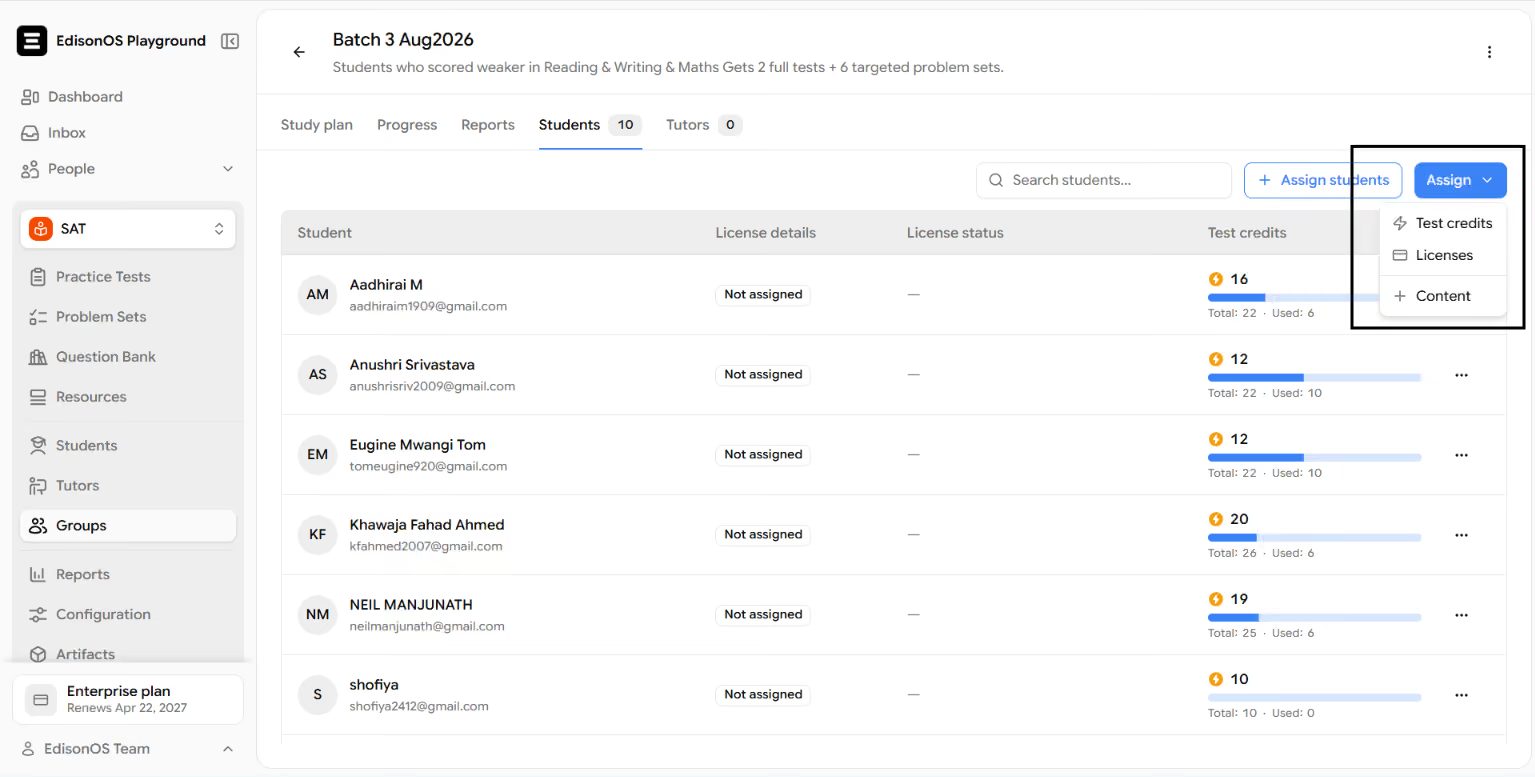
Manage assignments directly from a group
Assign test credits, licenses, and content directly from a group. Admin no longer need to return to the full student roster to manage access for students in a specific group.
Limit practice retakes within a study plan
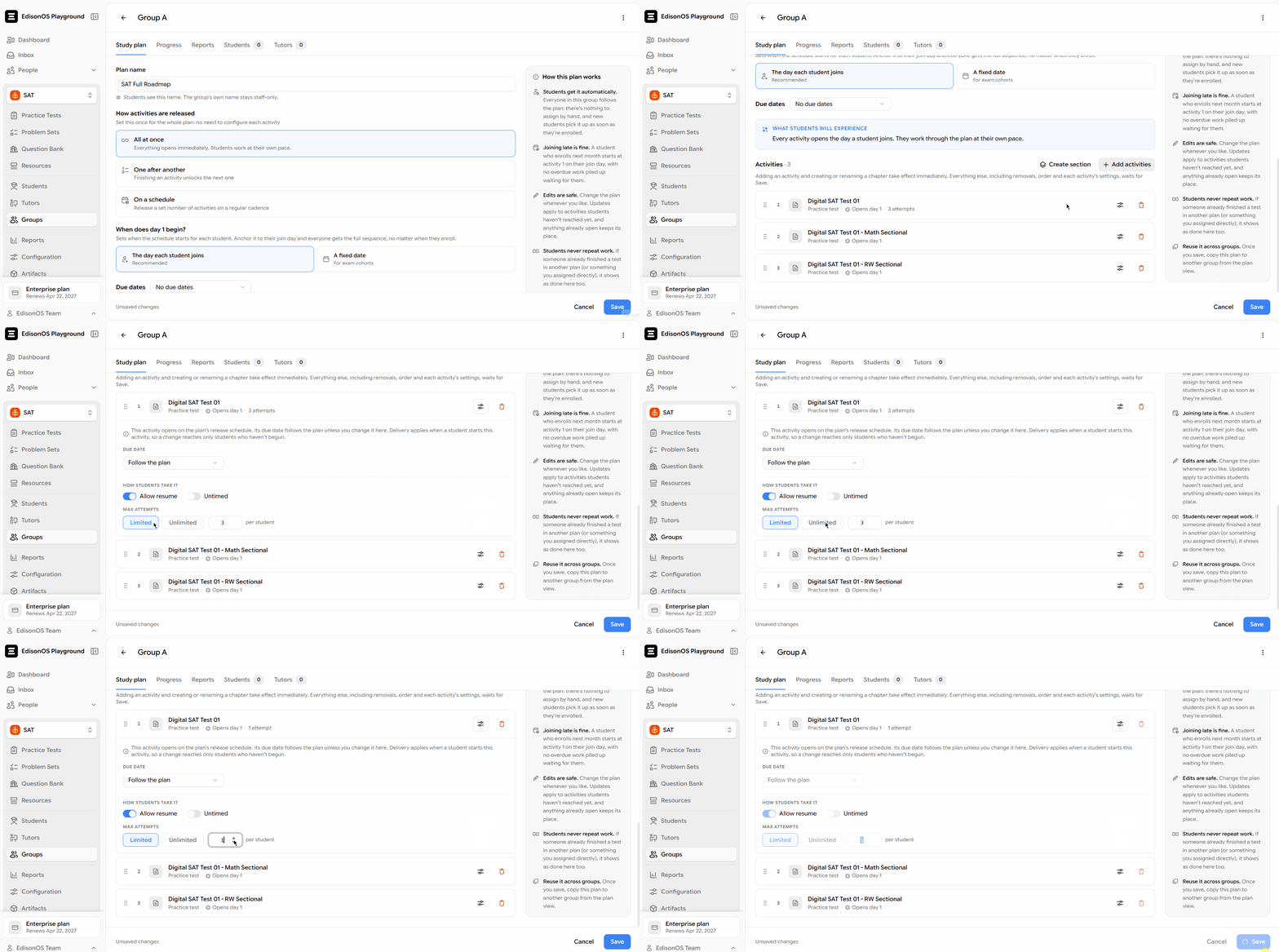
Set a maximum number of attempts for practice tests and problem sets within a study plan. This helps prevent unlimited retakes and gives instructors better control over how students use assigned practice content.
Keep students and parents informed about study plans
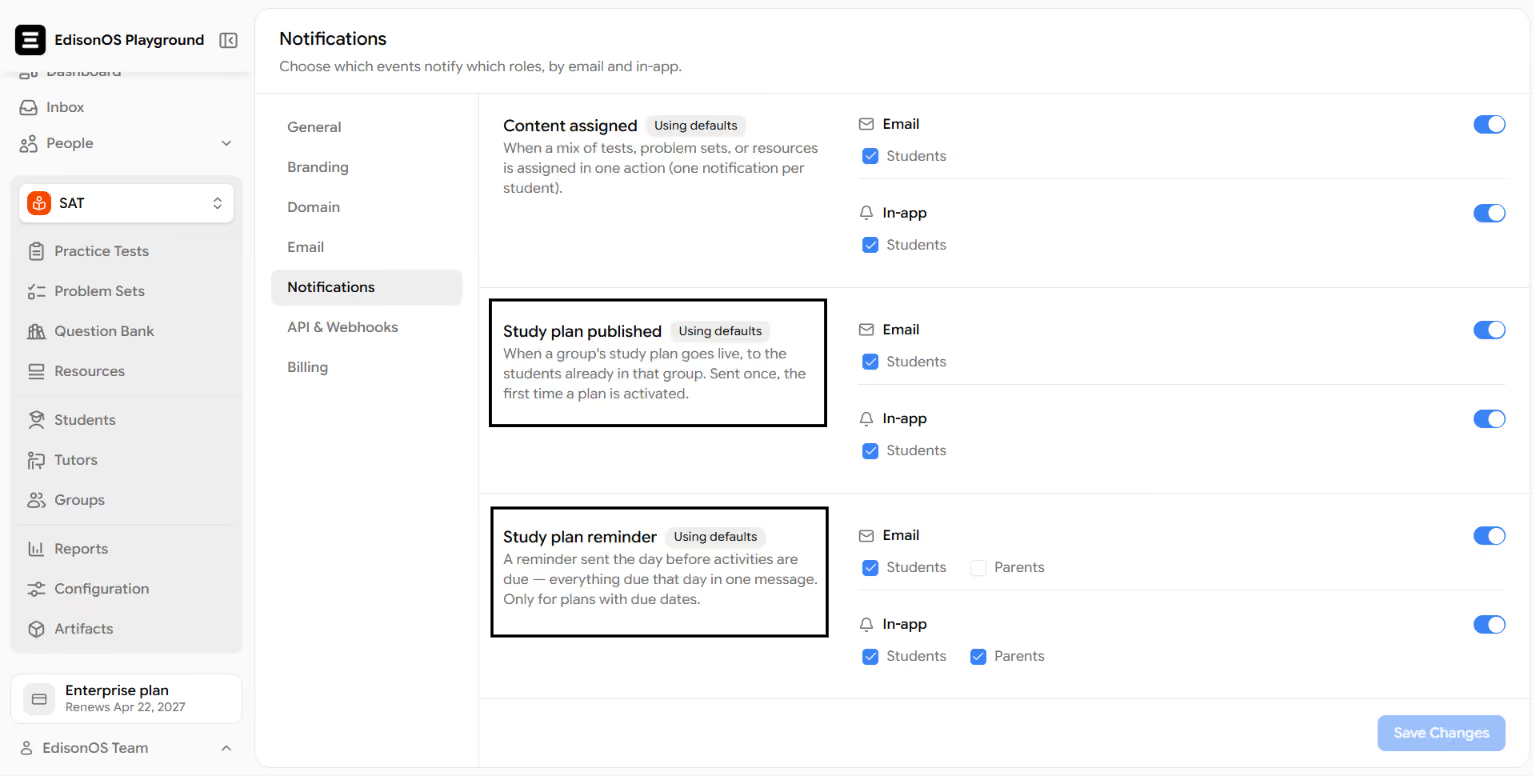
Students and parents are now notified when a study plan is published. They also receive one daily reminder summarizing everything due that day.
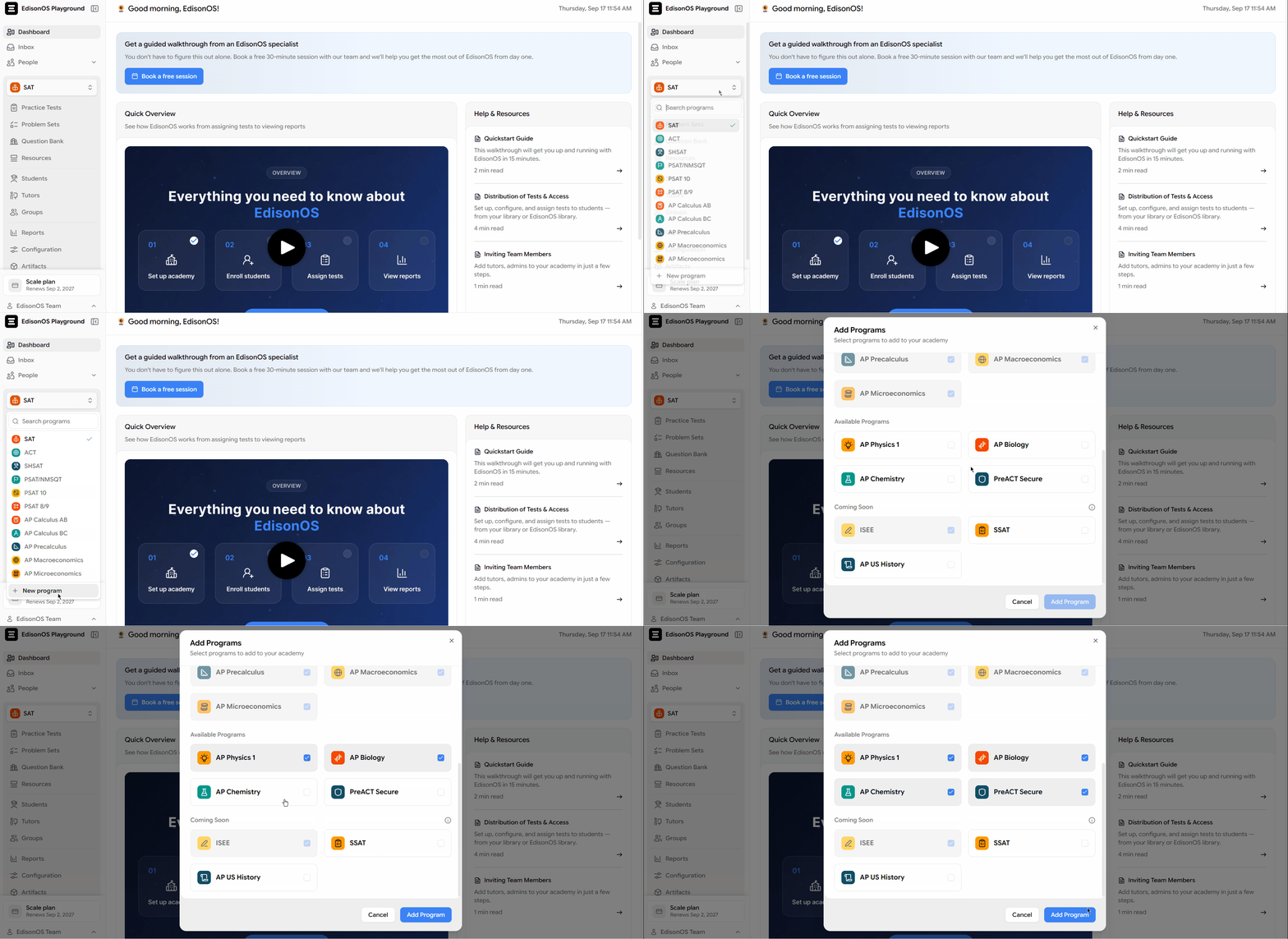
5. Four new programs are now live
AP Chemistry, AP Physics 1, AP Biology, and PreACT are live.
Four new programs are now available on the platform. Academies can begin creating and organizing content for AP Chemistry, AP Physics 1, AP Biology, and PreACT.
The AI question extractor also supports AP Biology, AP Physics 1, AP Chemistry, and PreACT Secure papers, making it easier to convert supported exam material into structured questions.
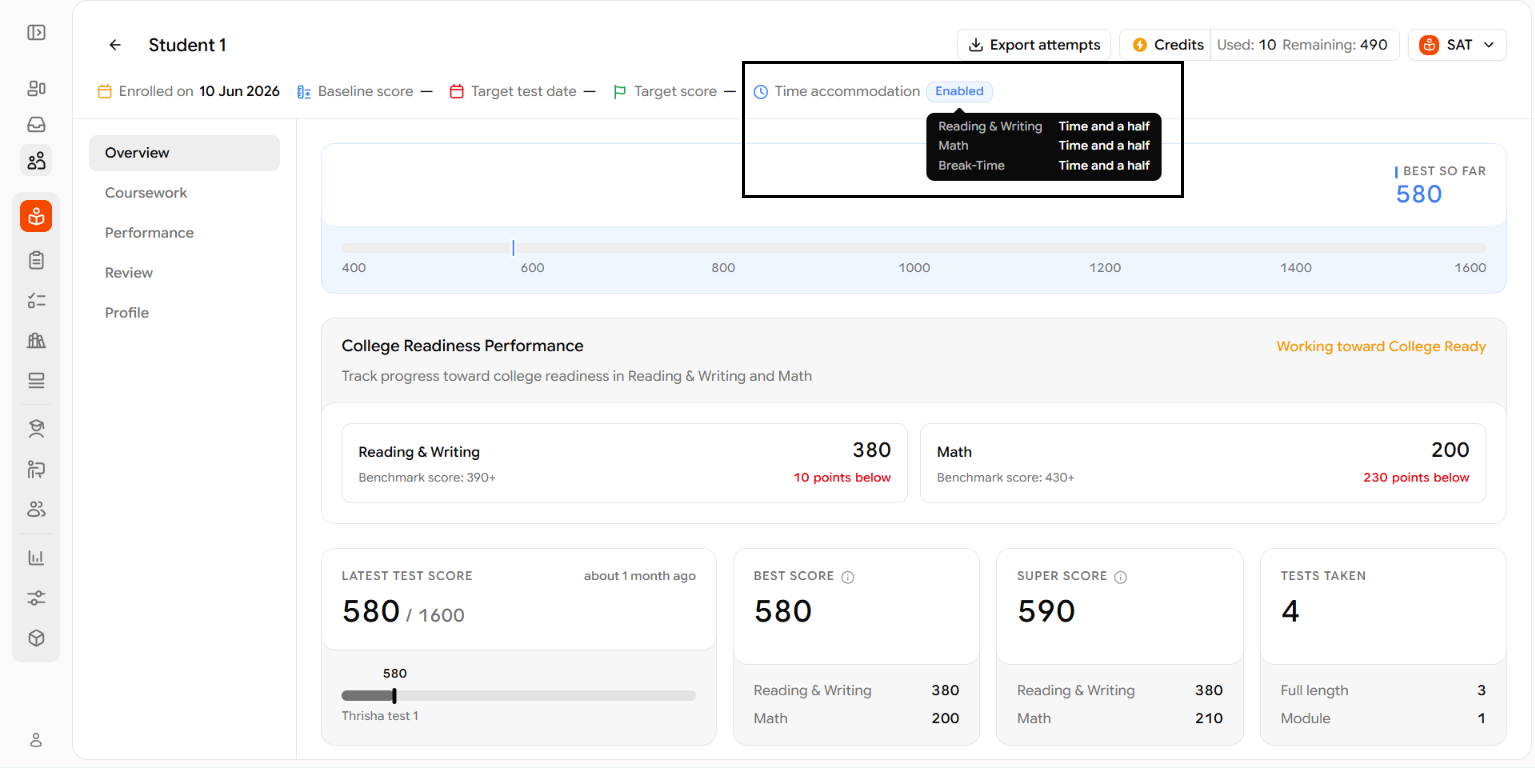
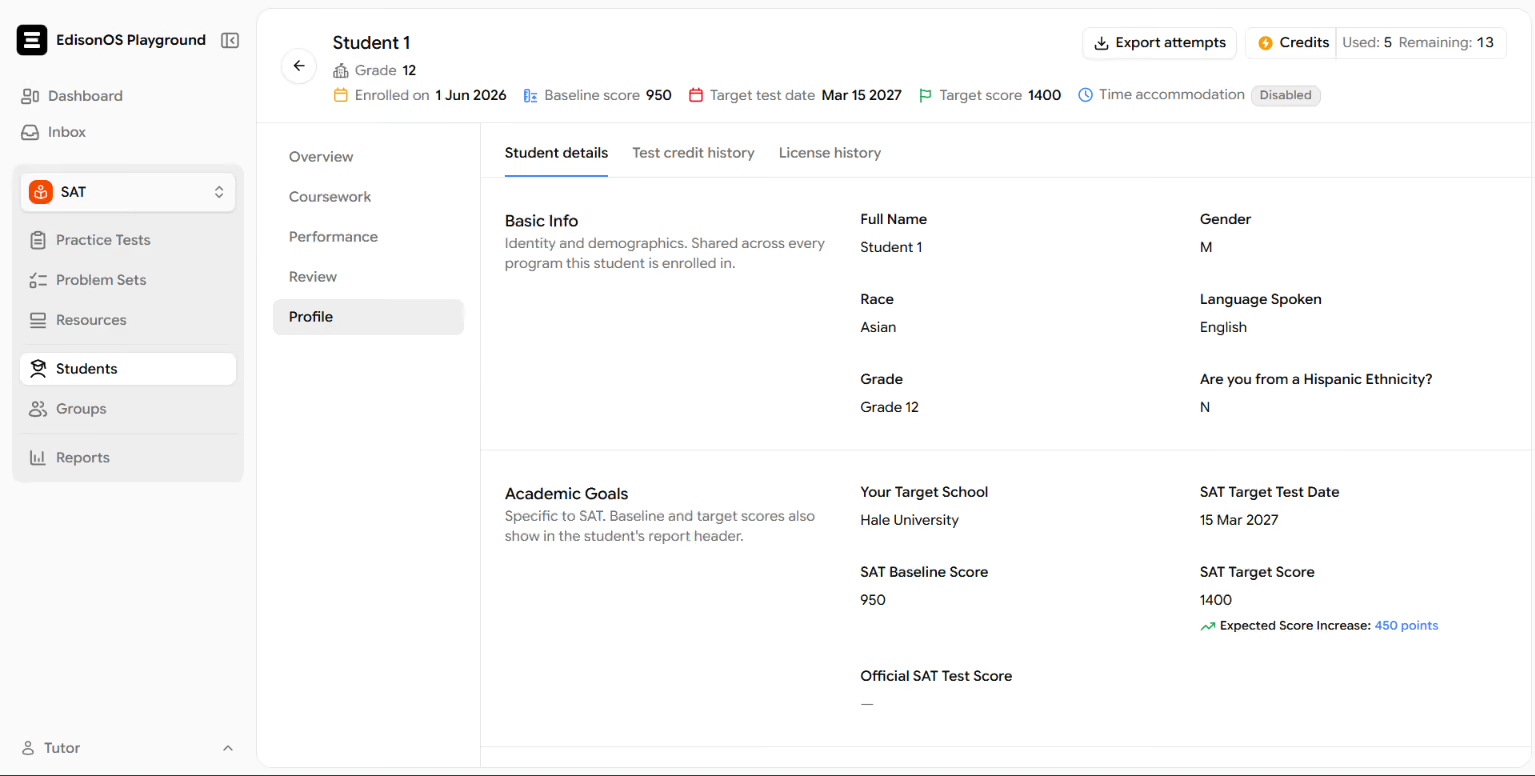
6. See accommodations at a glance
A student’s profile header now indicates whether extended-time accommodations apply. Admin or tutor can see this without opening the full student profile.
Improvements
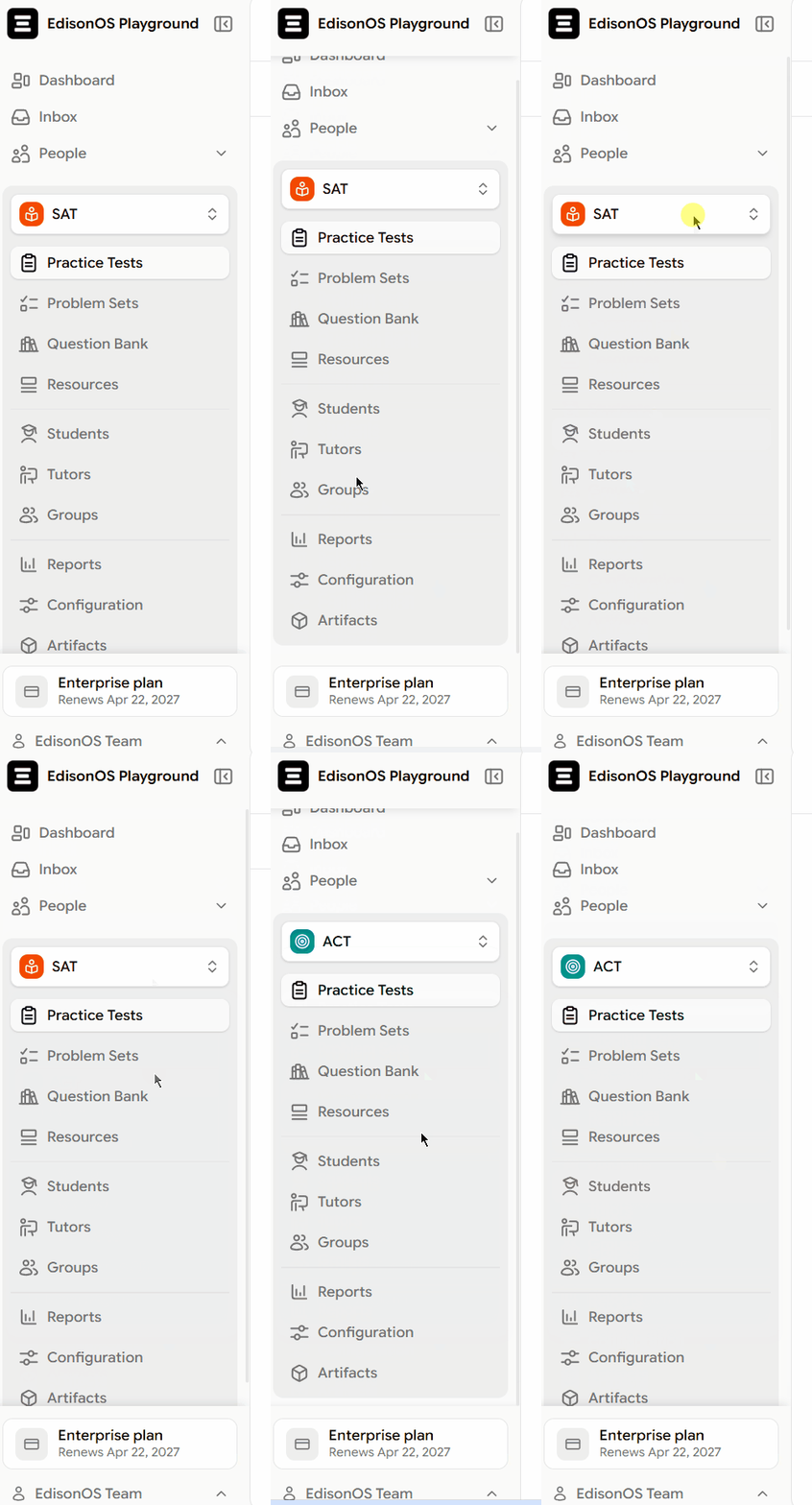
1. Simpler navigation
Sidebars across the app have been reorganized to make navigation faster:
- Programs are now selected from a single dropdown instead of a long nested list.
- Icons have been updated for clearer identification.
- Pages show more content at once through tighter spacing and reduced scrolling.
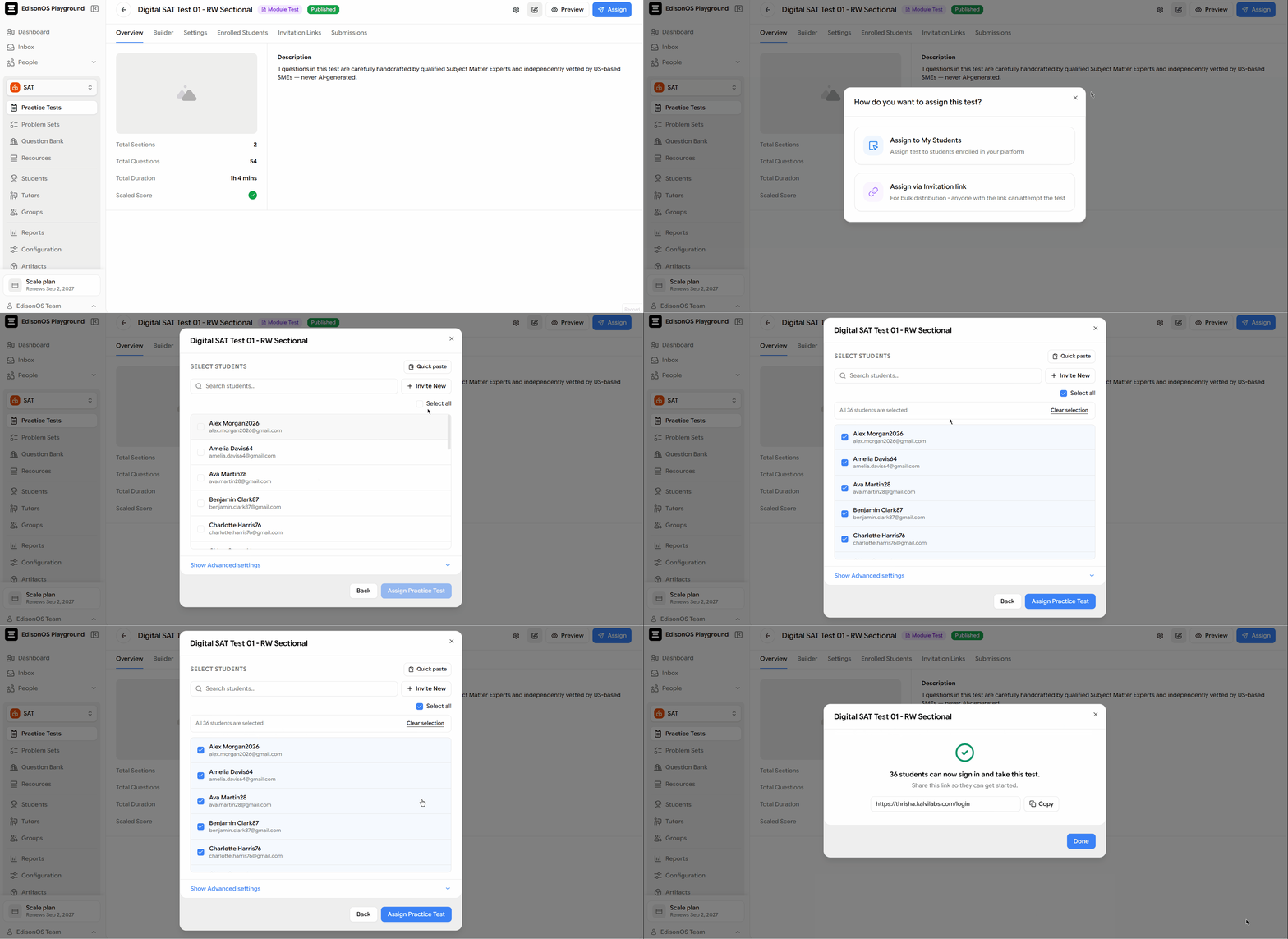
2. More reliable bulk selection
When assigning a test, bulk selection now selects every matching student across the entire list, not only the rows visible on the current page. The selection limit has also increased from 200 to 500 students, with clearer messaging when the limit is reached.
3. Stronger tutor privacy controls
Tutors can no longer see students’ private contact details - including email addresses, phone numbers, and parent contact information.
Tutors can still access the rosters and performance data required for their work.
Other few enhancements include:
- Fewer columns in shared reports: Shared and public report links now show a more concise summary view by removing the Module, Your answer, and Correct answer columns.
- More accurate curriculum filtering: Program and content filters now correctly narrow results through the full curriculum hierarchy (Module → Domain → Skill), so selecting a narrower category reduces the result set as expected.
- Direct links to completed test results: Notifications for completed tests now open the specific test result directly instead of redirecting to a general results list.
- Improved group reports: Group reports display more information on screen at once, with mastery levels labeled consistently across all report views.
- Consistent terminology: Labels and instructions have been standardized throughout the app, so terms like test credits, settings, and plan options appear consistently across all screens.
Not sure where to start? Let's figure it out together.