- Web-authoring tools help you create websites and online courses with ease, even without advanced coding knowledge.
- Different types of web-authoring tools, like text editors, CMS, and WYSIWYG editors, offer various features to suit your needs.
- Top Web-Authoring Tools: Discover popular tools like Adobe Dreamweaver, WordPress, and Bootstrap Studio that offer powerful customization for building professional eLearning platforms
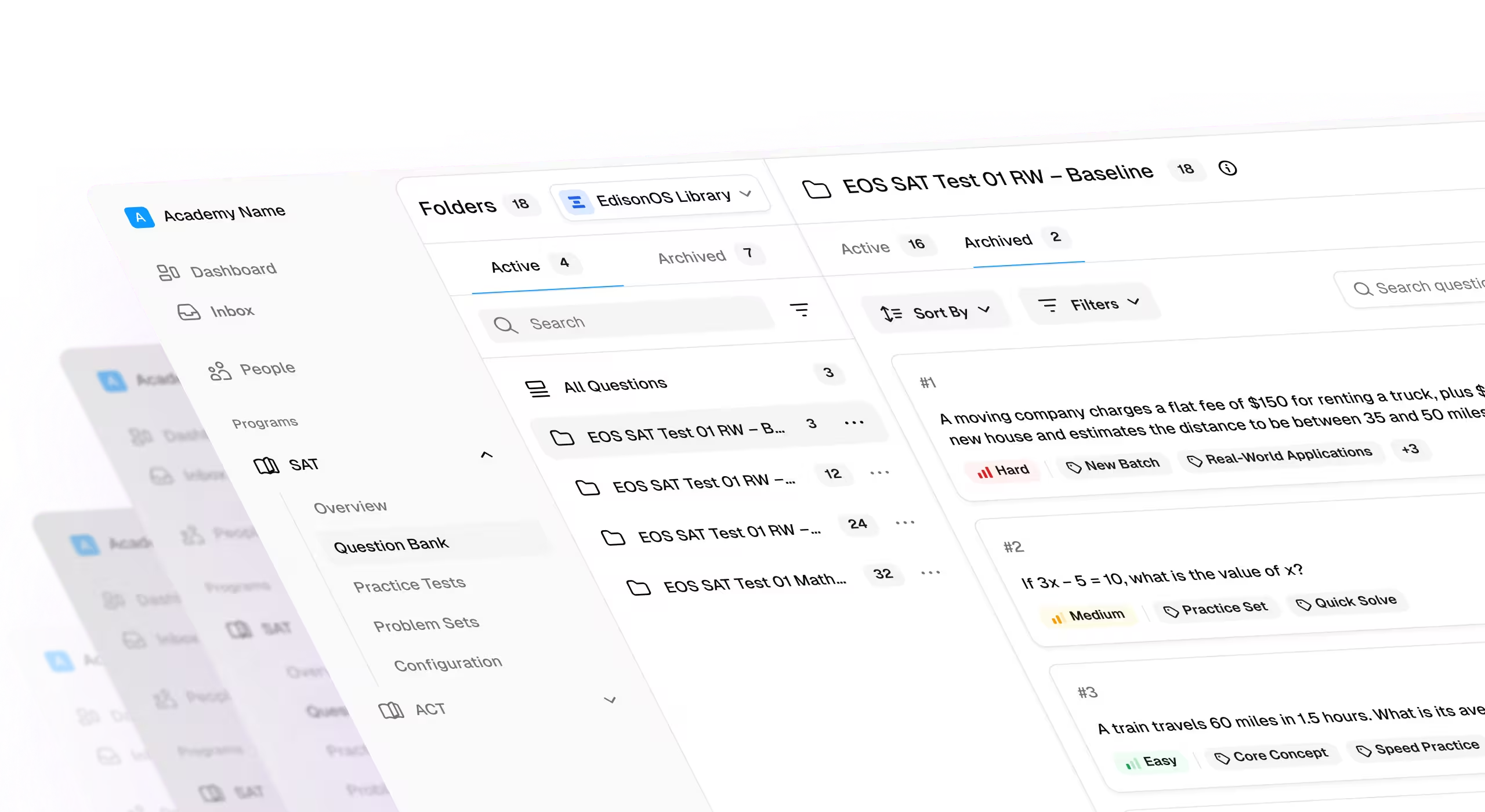
- Tools like EdisonOS and Adobe Captivate are designed specifically for educators and businesses to build interactive and scalable online content
What is Web-Authoring?
Web authoring is the process of creating, designing, and managing content for the web using modern web authoring tools. These tools allow users to build web pages, multimedia content, and interactive elements without extensive coding knowledge. Whether for website creation or content management, web-authoring software simplifies and enhances the development experience.
What Are Web-Authoring Tools?
Web authoring tools are software programs to create, design, and manage websites and web pages. These tools allow users to build websites visually using WYSIWYG (What You See Is What You Get) interfaces, making the process more intuitive. Users can also write and edit the underlying code, such as HTML, CSS, and JavaScript. Famous web authoring software examples include Notepad++, Adobe Dreamweaver, WordPress, and Sublime Text.
There are two main categories of web-authoring tools:
- Text Editors: Allow users to manually write and edit code (e.g., Notepad++, Sublime Text).
- WYSIWYG Editors: Provide a visual interface that allows users to manually build web pages without needing to code (e.g., Adobe Dreamweaver, Weebly).
Content Management Systems (CMS), such as WordPress, enable users to manage web content easily using templates and drag-and-drop functionality, even without advanced technical knowledge.
Key Features of Web-Authoring Software
- Templates: Pre-designed layouts, colour schemes, and design elements that can be customized to create professional-looking websites quickly.
- Drag-and-Drop Functionality: Easily add text, images, and multimedia elements to web pages without manual coding.
- HTML & CSS Editing: Modify HTML and CSS code directly for greater control over website appearance and functionality.
- Interactive Features: Add quizzes, polls, and multimedia elements to create engaging, interactive content.
- Analytics and Metrics: Track website performance, including visitor behaviour, to optimize the user experience.
- Mobile-Responsiveness: Ensure websites adjust to various screen sizes, including smartphones and tablets.
- E-commerce Integration: Include features like shopping carts, payment gateways, and inventory management to build online stores.
Importance of Web-Authoring Tools
- Ease of Use: Web-authoring tools reduce the technical complexity of creating professional websites, even for beginners.
- Time Efficiency: Using templates and drag-and-drop functionality allows quick setup and customization of websites.
- Collaboration: Cloud-based tools enable real-time collaboration, where multiple users can work on a project simultaneously.
Accessibility: Web-authoring tools are accessible from any device, ensuring users can work from anywhere with an internet connection.
Examples of Web-Authoring Software
We have evaluated some of the best Web Authoring tools available in their respective categories, and here is a detailed insight into each of them.
- Text Editors:
- These are basic tools that allow developers to manually write and edit the code for a website. Text editors provide a simple interface for coding in HTML, CSS, JavaScript, and other programming languages without added functionality like live previews.
- Examples: Notepad++, a lightweight editor with syntax highlighting and macro recording features, and Sublime Text, known for its speed, simplicity, and powerful features like multi-line editing and customizable shortcuts. Tools like Clever AI Humanizer can refine AI-drafted web content to sound more natural ideal for landing pages, blogs, and educational material where readability matters.
- Integrated Development Environments (IDEs):
- IDEs provide a comprehensive environment that includes a text editor, debugger, and compiler in a single tool. These tools are designed for developers who need advanced features for coding, debugging, and testing their projects. IDEs often support multiple languages and frameworks, making them versatile for complex projects.
- Examples: JetBrains WebStorm, an IDE that supports JavaScript, Node.js, HTML, and CSS with smart coding assistance and debugging capabilities; Microsoft Visual Studio, offering a rich set of tools for building and testing web applications, including code completion, refactoring, and version control.
- Content Management Systems (CMS):
- CMS platforms allow users to create, edit, and manage websites without needing extensive coding skills. They come with templates, themes, and plugins to help users customize their websites easily. CMS platforms are widely used for blogging, e-commerce, and content-heavy websites.
- Examples: WordPress, the most popular CMS, powering over 40% of websites globally with a vast library of plugins and themes; Joomla, another flexible CMS known for its powerful extensions and multilingual support.
- WYSIWYG Editors (What You See Is What You Get):
- These editors allow users to design websites visually without needing to manually write code. Changes made in the editor reflect how the final website will look, making it easier for non-coders to build websites. WYSIWYG editors also allow users to tweak the underlying code if needed.
- Examples: Adobe Dreamweaver, which offers both a visual and a code interface, allowing users to switch between WYSIWYG design and HTML coding; Pinegrow, a desktop app that lets users visually design responsive websites while offering code-editing features for advanced users.
- Website Builders:
- Website builders are designed for beginners and small businesses, providing a fully visual interface with pre-designed templates and drag-and-drop functionality. Users can quickly create websites without any coding knowledge. These tools often come with built-in hosting and support features.
- Examples: Wix, a popular website builder known for its ease of use, offering hundreds of customizable templates and an intuitive drag-and-drop editor; Squarespace, which provides elegant templates and advanced design features suited for creatives and businesses.
- Graphic Design Software:
- Graphic design software is used to create visual elements for websites, such as logos, banners, images, and user interface components. These tools allow designers to create pixel-perfect designs and export them for use in web projects.
- Examples: Adobe Photoshop, a powerful image editing tool used for creating and editing website graphics, and Sketch, a vector-based design tool popular for designing user interfaces and prototyping web and mobile applications.
- Version Control Systems (VCS):
- VCS tools allow developers to track changes in their code over time. These systems are essential for collaboration, enabling multiple developers to work on the same project simultaneously and manage different versions of the codebase.
- Examples: Git, the most widely-used version control system, offering distributed version control and supporting branching and merging; Subversion (SVN), a centralized version control system that tracks changes and manages project files efficiently.
- Responsive Design Tools:
- These tools help developers design websites that automatically adjust to different screen sizes and devices, ensuring a seamless user experience across desktops, tablets, and smartphones. Responsive design tools often include frameworks and grids that simplify this process.
- Examples: Bootstrap, the most popular HTML, CSS, and JS framework for building responsive, mobile-first websites; Foundation, a flexible front-end framework that helps developers build responsive websites and applications quickly.
- Prototyping Tools:
- Prototyping tools allow designers and developers to create interactive mockups or prototypes of websites or applications before moving to full development. These tools help teams visualize how a website or app will function and gather feedback early in the design process.
- Examples: Axure RP, a comprehensive prototyping tool for creating wireframes and interactive prototypes; Adobe XD, a powerful tool for designing and prototyping user experiences for web and mobile apps.
- Performance Optimization Tools:
- Performance optimization tools are used to analyze and improve the speed and efficiency of websites. These tools help identify bottlenecks, reduce load times, and ensure a smoother user experience, which is crucial for SEO and user retention.
- Examples: Google PageSpeed Insights, a tool that analyzes web pages and provides recommendations for improving load times and performance; GTmetrix, which offers detailed reports on website performance and suggests optimizations.
Best EdTech Web-Authoring Tools
Choosing the right web-authoring tool is crucial for creating engaging and interactive eLearning experiences. Whether you're an educator, tutor, or business owner, having a platform that simplifies course creation while offering powerful features can make all the difference. Below is a curated list of the best EdTech web-authoring tools that cater to a wide range of educational needs, helping you build professional online courses with ease.
- EdisonOS
- Overview: EdisonOS is an all-in-one learning management system (LMS) tailored for educators, tutors, and course creators. It offers robust features for building interactive courses, managing students, and tracking performance. With its focus on simplifying the creation and delivery of educational content, EdisonOS is ideal for building scalable online classes, tutoring platforms, and learning apps.
- Best For: Educators and businesses looking for a versatile platform to create, manage, and sell online courses and tutoring services.
- Key Features:
- User-friendly drag-and-drop course builder
- Interactive quizzes, assessments, and multimedia support
- Real-time performance tracking and analytics
- Seamless integration with Zoom for live classes
- Built-in student management and eCommerce functionality
- Pricing: Free trial available, with customizable pricing plans for individual or enterprise use.
- Adobe Captivate
- Overview: Adobe Captivate is a powerful authoring tool that allows users to create interactive eLearning content, software simulations, and mobile-ready courses. It’s widely used for developing complex educational content, including branching scenarios and interactive quizzes.
- Best For: Creating interactive, mobile-friendly learning experiences with advanced multimedia elements.
- Key Features:
- Drag-and-drop functionality for building courses
- Responsive design capabilities
- Integration with Learning Management Systems (LMS) via SCORM or xAPI
- Interactive assessments and simulations
- Pricing: Starts at $33.99/month (subscription-based).
- Articulate 360 (Storyline 360)
- Overview: Articulate 360 is one of the most popular tools for eLearning content creation. Its flagship tool, Storyline 360, provides both beginners and advanced users with the ability to create dynamic, interactive online courses.
- Best For: Educational institutions looking for flexibility in creating interactive, multimedia-rich eLearning content.
- Key Features:
- Built-in templates and pre-built slide designs
- Drag-and-drop interactivity creation
- Extensive media library and asset storage
- SCORM, AICC, and xAPI compliance for LMS integration
- Pricing: Starts at $999/year (for Storyline 360).
- Camtasia
- Overview: Camtasia is a screen recording and video editing software that enables educators to create instructional videos and tutorials. It allows for easy editing and the addition of multimedia elements, such as quizzes and interactive content, to enhance learner engagement.
- Best For: Educators looking to create video-based instructional content or tutorials.
- Key Features:
- Screen recording and webcam capture
- Video editing and annotations
- Quizzes and assessments integrated within video content
- Easy sharing and embedding in LMS or websites
- Pricing: Starts at $299.99 (one-time purchase).
- iSpring Suite
- Overview: iSpring Suite is a robust eLearning authoring tool that integrates seamlessly with PowerPoint. It allows users to create professional-looking courses, quizzes, and video lectures without needing advanced technical skills.
- Best For: Educators who are familiar with PowerPoint and want to convert their slides into interactive online courses.
- Key Features:
- PowerPoint integration for course creation
- Quizzes, surveys, and interactive content
- Video recording and editing
- SCORM, xAPI, and AICC compliance for LMS integration
- Pricing: Starts at $770/year.
EdisonOS stands out as the best option for educators looking for a comprehensive platform to build, manage, and grow their online education businesses. Whether you're creating courses, managing live sessions, or tracking student progress, EdisonOS simplifies every aspect of the process.
Conclusion
Web-authoring tools simplify the development, design, and management of websites, making it easier for individuals and businesses to create professional-looking online platforms. Whether you're building a personal website, an eLearning course, or an online store, the right web-authoring software can save you time, effort, and ensure that your website meets modern standards.


.png)
.png)
.png)