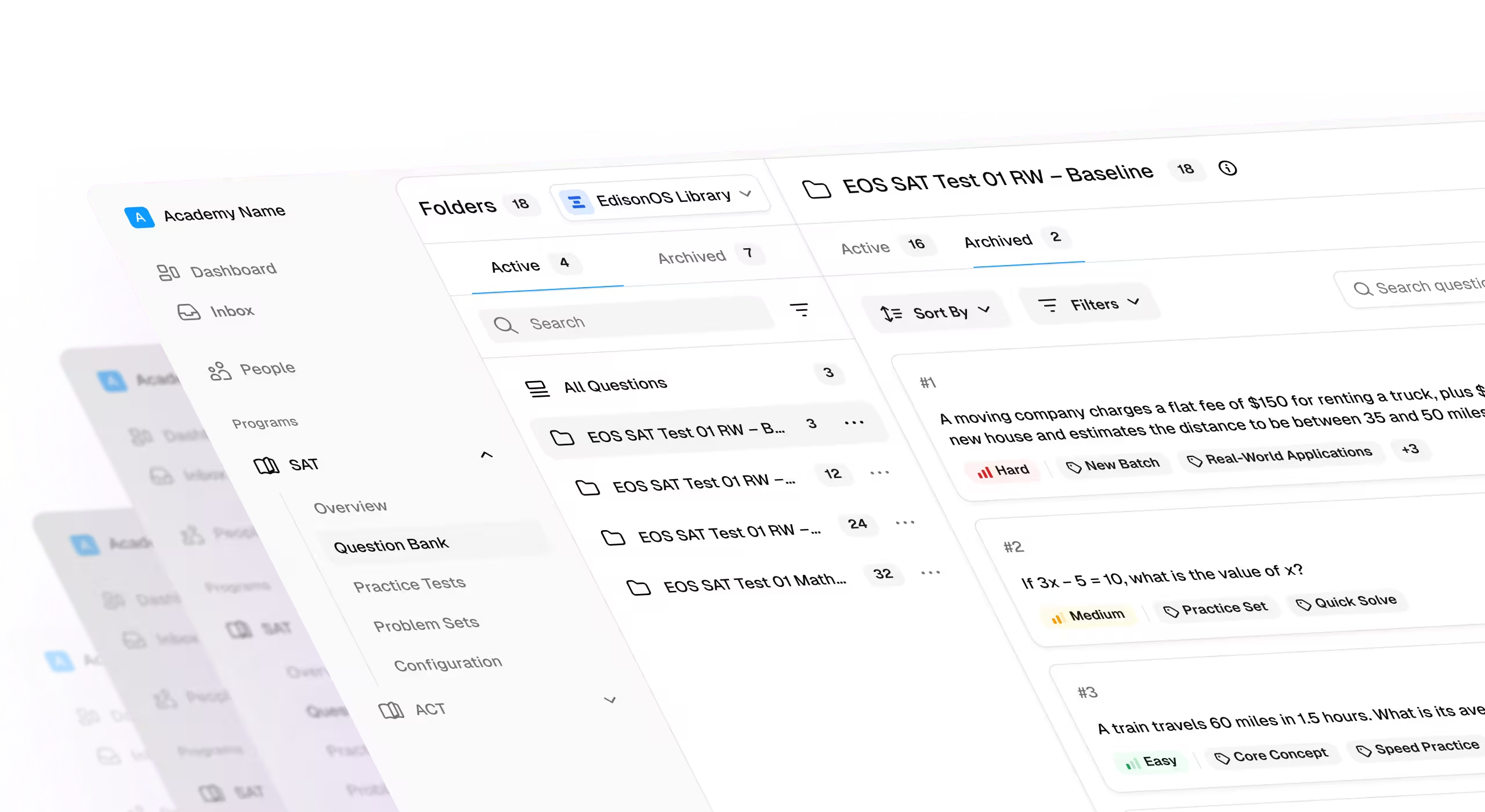
- TutorCruncher runs scheduling, billing, and CRM, but reviewers flag recurring friction regarding unannounced updates, thin analytics, and generic support responses.
- Teachworks, TutorBird, and Oases Online are the closest direct replacements. Teachworks fits multi-branch billing, TutorBird fits solo tutors, and Oases Online prices by active student count.
- TutorWare suits you if you hire tutors often. TutorWare adds recruiting, applicant tracking, and GPS-verified attendance on top of CRM and billing.
- ConexED and TracCloud rarely fit an independent tutoring business. Both serve colleges and districts, with compliance and retention tools built for institutions.
- EdisonOS runs alongside your scheduling tool rather than replacing it. EdisonOS covers test simulation, scoring, and analytics, while TutorCruncher or a direct alternative handles bookings.
- Match the platform to your business type before you switch. Weigh fee structure, interface stability, reporting depth, and support responsiveness against how your business runs.
TutorCruncher handles scheduling, billing, and CRM for tutoring companies, but reviewers flag unannounced updates, thin analytics, and generic support.
This guide compares 10 alternatives, including EdisonOS, and explains which type of tutoring business each one suits best.
We evaluated each platform on:
- Verified pricing tiers from official sources
- Independent reviews across G2, Capterra, and Trustpilot
- Target buyer and use case compared with TutorCruncher
Full disclosure: EdisonOS appears on this list, and we built it. This comparison weighs features, pricing, and fit, not a sales pitch.
Comparison Table: Best TutorCruncher Alternatives at a Glance
1. EdisonOS: Best Platform for Adding Assessment Depth to Your Operations
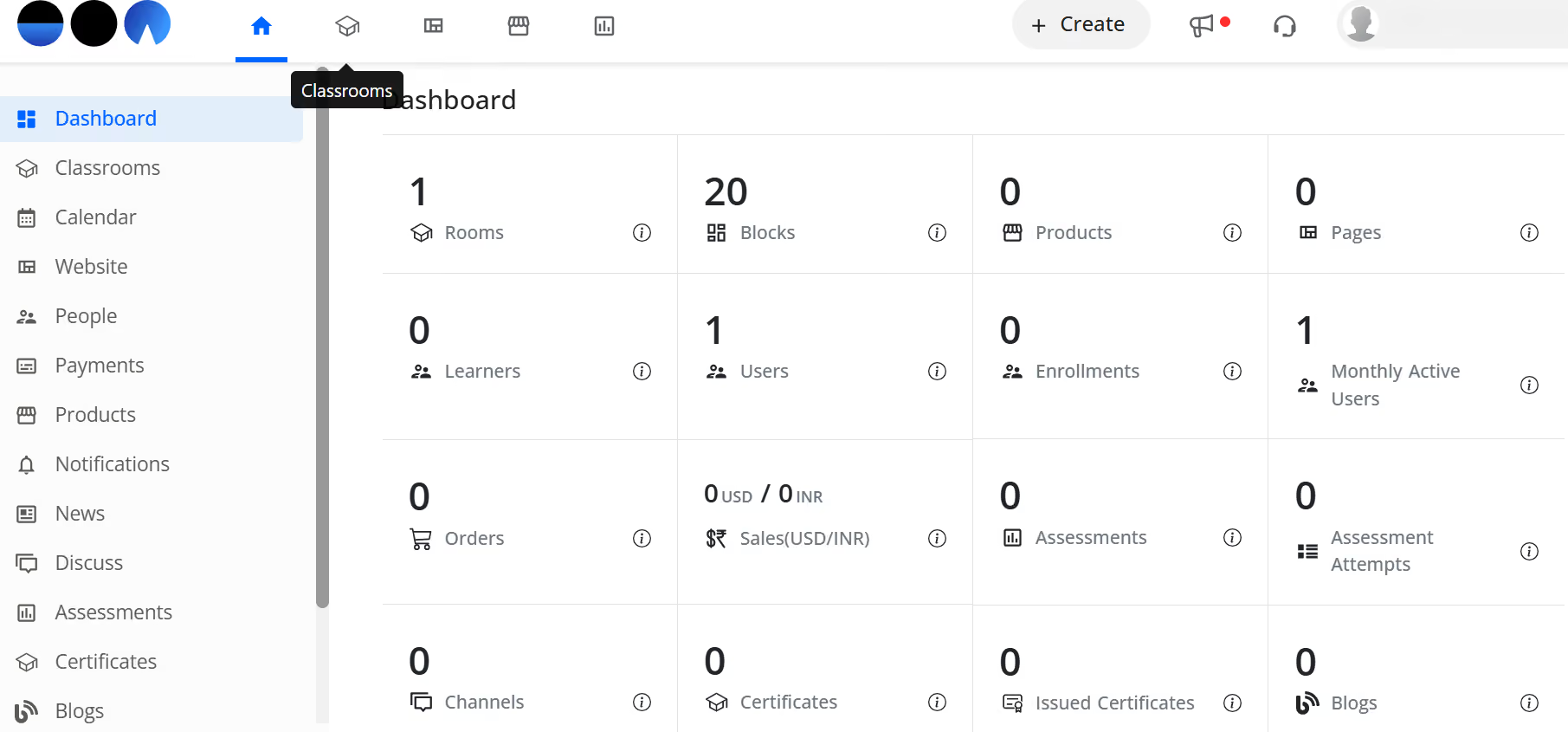
EdisonOS is a white-labeled assessment platform, not a scheduling or billing tool. Tutoring companies use it to run standardized-test simulations and track student performance with behavioral analytics.
TutorCruncher runs the business side of a tutoring company: bookings, invoices, payroll. EdisonOS runs the assessment side: practice tests, scoring, and skill-level reporting. Many tutoring businesses run both platforms side by side, not one instead of the other.
Key Features
- Build Your Own Tests: Create full assessments from a question library instead of relying on fixed test packages.
- Behavioral analytics: Track answer changes, time per question, and blind guesses.
- White-labeling: Put a business's own branding and domain across the testing experience.
- Institute-level reporting: Roll up performance across tutors and branches for owners managing more than one location.
Pros
- Bluebook-style testing gives students a familiar Digital SAT experience.
- White-labeling lets a small shop present a fully branded assessment platform.
- Detailed reporting gives owners data to show parents, not just a pass/fail score.
Cons
- EdisonOS focuses on assessments, not scheduling or billing, so it doesn't replace a tool like TutorCruncher.
- New users typically need a short walkthrough before the full reporting suite clicks.
EdisonOS is a light platform that is both developer- and user-friendly. They also have the best client service.
-Shreyasi Banerjee, Strategic Building Lead
Pricing
- Basic: $299/year
- Pro: $1,499/year
- Enterprise: Custom
2. Teachworks: Best for Multi-Branch Billing and Payroll
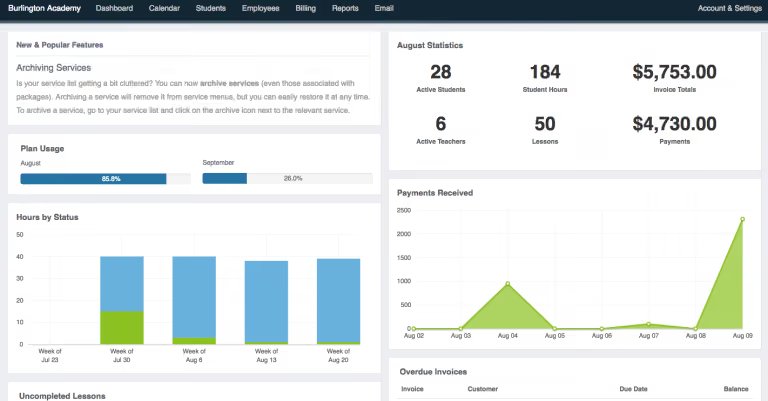
Teachworks is a business-management platform built for tutoring companies running multiple locations. It handles scheduling, billing, and payroll from one dashboard.
Compared with TutorCruncher, its biggest advantage is per-lesson pricing that scales down for high-volume centers. It also connects with 80+ tools, including QuickBooks and Zapier.
Key Features
- Smart scheduling: Manage tutor availability and room bookings in one calendar view.
- Automated billing: Generate invoices and accept online payments without manual entry.
- Payroll automation: Calculate tutor hours and earnings from scheduled lessons.
- Multi-branch management: Oversee several locations from a single dashboard.
Pros
- Per-lesson pricing drops as volume grows, unlike a flat per-seat rate.
- 80+ integrations cover accounting, calendar, and marketing tools most centers already use.
- Multi-branch view suits owners managing more than one location.
Cons
- Per-student lesson fees add up fast for centers with large rosters.
- API access requires the Growth or Premium tier.
- Additional branches cost $35/month each beyond the first five on Premium.
Pricing
- Starter: $16.49/month
- Growth: $47.99/month
- Premium: $187.99/month
3. TutorBird: Best for Solo Tutors on a Flat Rate
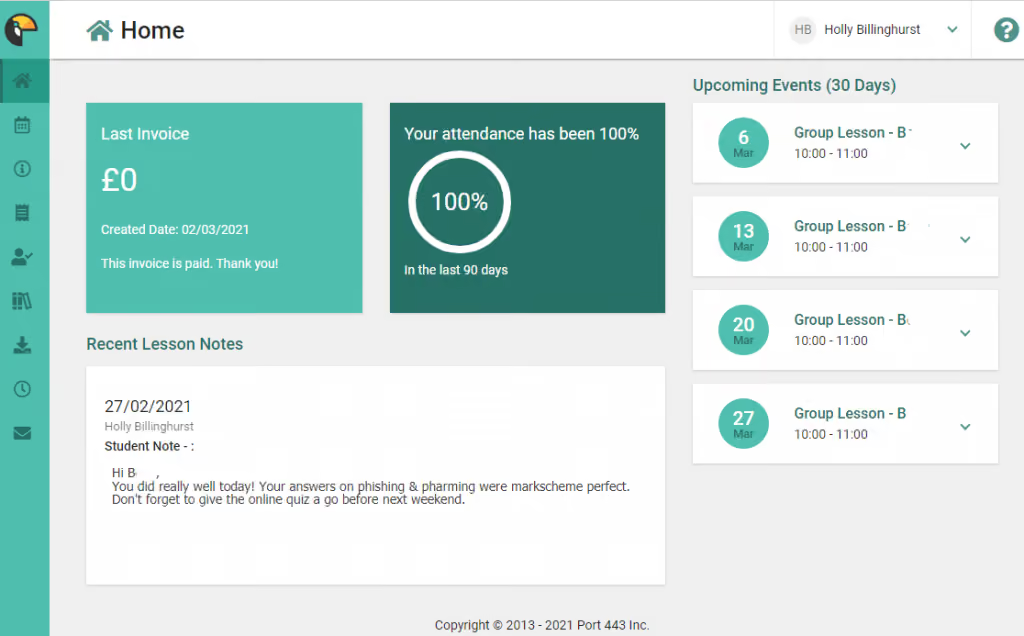
TutorBird is a single-tier platform built for solo tutors and small teams. It bundles scheduling, invoicing, and a website builder into one flat rate.
Compared with TutorCruncher's tiered plans, TutorBird's model is simpler. One base rate covers the platform, plus a small per-staff add-on.
Key Features
- Website builder: Drag-and-drop editor with student sign-up forms, hosted free.
- Student portal: Let families book lessons, submit homework, and pay online.
- Automated reminders: Send email and SMS notifications to students and parents.
- Consultation automation: Let new leads self-book a consultation from the website.
Pros
- One flat rate is easier to budget than tiered plans with feature gates.
- Free website hosting cuts out a separate tool most solo tutors would otherwise pay for.
- 30-day free trial and 90-day money-back guarantee lower the risk of switching.
Cons
- No multi-branch tools built for larger, multi-location operations.
- Business analytics are lighter than platforms built for bigger teams.
- Per-staff add-on cost can climb as a small team grows.
Pricing
- Base plan: $16.95/month
- Additional staff member: $4.95/month each
4. Oases Online: Best for Centers That Bill by Active Student
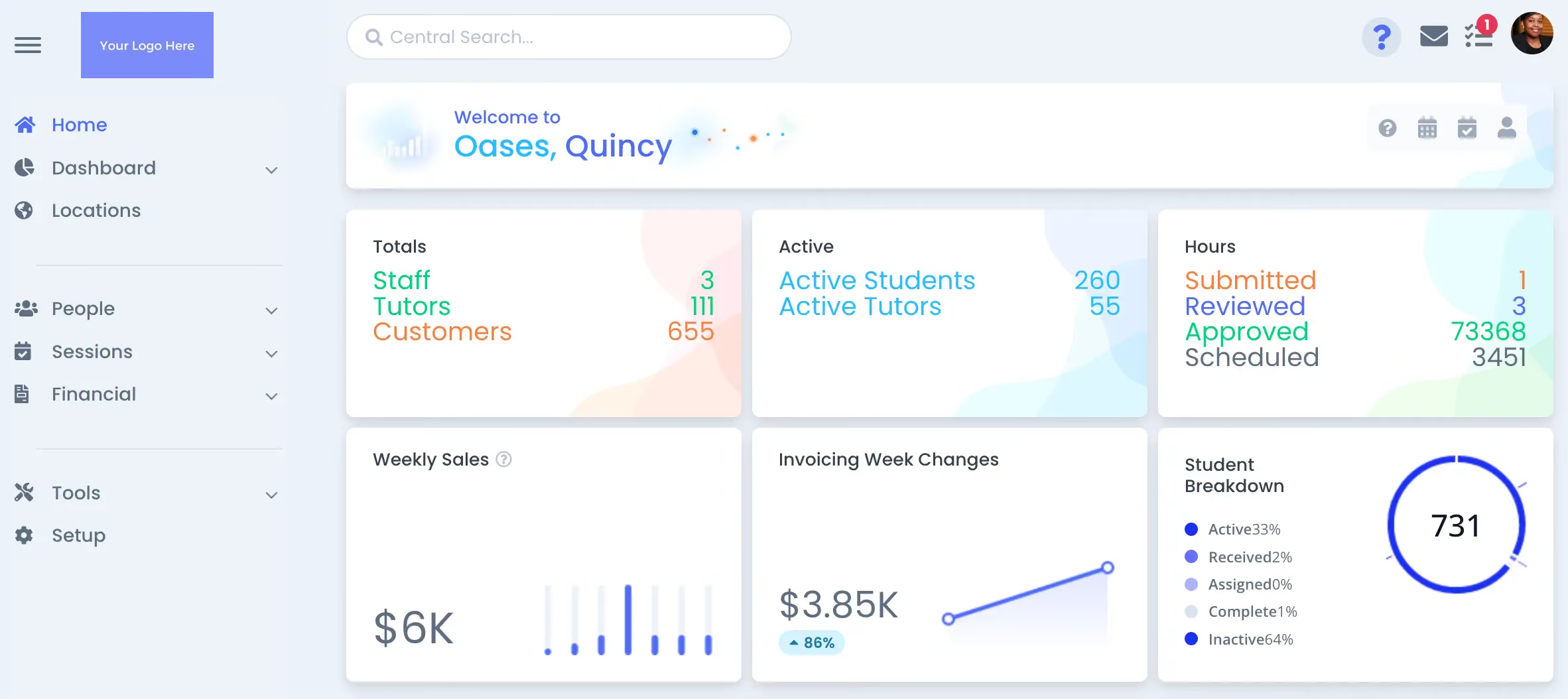
Oases Online prices its plans by active student count, which suits centers whose roster size shifts by season. It also supports dance, swim, and music schools beyond tutoring.
Compared with TutorCruncher's flat monthly tiers, Oases Online scales more directly with actual usage. A slower season doesn't mean paying for idle capacity.
Key Features
- Flexible invoicing: Bill per individual, per contract, or per session.
- Tutor matching: Find an available tutor for open sessions or full schedules.
- Parent portal: Give white-label access to progress reports and session notes.
- Assessment tools: Run testing and generate learning plans automatically.
Pros
- Pricing tied to active students avoids paying for capacity a smaller season doesn't use.
- Built-in testing and learning-plan generation go beyond pure scheduling software.
- Serves adjacent education businesses, useful for owners running more than one program.
Cons
- Six pricing tiers make costs harder to predict as rosters fluctuate mid-season.
- Interface has a steeper learning curve than single-purpose scheduling tools.
- Higher tiers get expensive for centers with large, stable rosters.
Pricing
- Starter: $99/month
- Basic: $199/month
- Standard: $299/month
- Advanced: $399/month
- Professional: $499/month
- Ultimate: $699/month
5. Yo!Coach: Best for Building a Branded Tutoring Marketplace
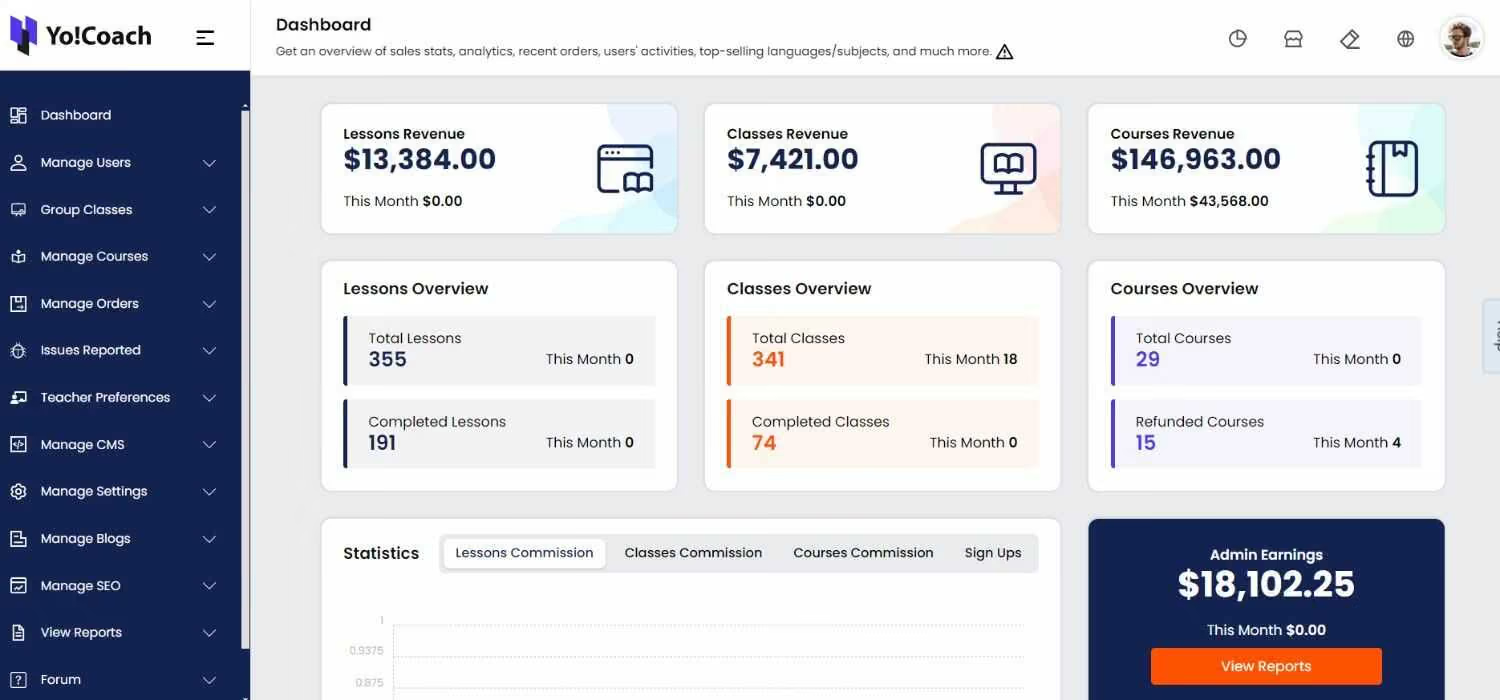
Yo!Coach is white-label marketplace software, not a scheduling tool for an existing roster. It suits a business launching its own branded platform for multiple independent tutors.
Compared with TutorCruncher's subscription model, Yo!Coach sells a one-time license with lifetime validity. That changes the math for a business planning years ahead.
Key Features
- Video communication: Built-in audio/video chat with screen sharing and recording.
- Marketplace tools: Includes reviews, subscription packages, and commission tracking.
- Multiple payment gateways: Support Stripe, PayPal, and several regional processors.
- Self-hosted: Run on the business's own infrastructure for full ownership.
Pros
- One-time license avoids recurring subscription costs over the long run.
- Marketplace features fit a business recruiting many independent tutors, not just staff.
- Self-hosting gives full control over data and infrastructure.
Cons
- No public pricing, so total cost isn't clear until you get a quote.
- Self-hosting requires technical setup most solo tutors won't want to manage.
- Built for a marketplace model, not a fit for a single-location tutoring business.
Pricing
- Custom quote (one-time license fee; tiers not publicly priced).
6. Remind: Best for Free Parent and Student Messaging
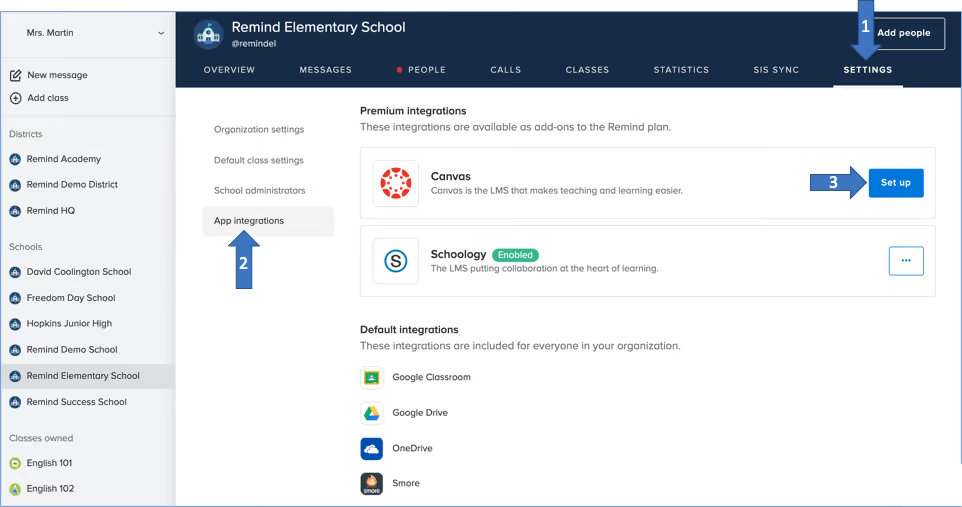
Remind is a messaging app, not a scheduling or billing platform. It suits a tutoring business that only needs a reliable way to reach parents and students.
Compared with TutorCruncher, Remind covers none of the business-operations side: no invoicing, no payroll, no scheduling. It solves one specific problem: getting a message read.
Key Features
- Two-way messaging: Let tutors and families message without sharing personal numbers.
- Automatic translation: Translate messages into 90+ languages.
- Class groups: Organize communication by class or session group.
- Remind Hub: Add admin dashboards and data insights for larger organizations.
Pros
- Free tier covers core messaging, so it costs nothing to start.
- Automatic translation helps reach non-English-speaking families directly.
- Nearly 30 million users across 80% of US schools, so families likely already know it.
Cons
- Handles messaging only, so a business still needs separate scheduling and billing tools.
- Remind Hub's paid tier isn't priced publicly.
- Now folding into ParentSquare, which may change its standalone future.
Pricing
- Remind Chat: Free
- Remind Hub: Custom quote
7. ConexED: Best for College and District Student Services
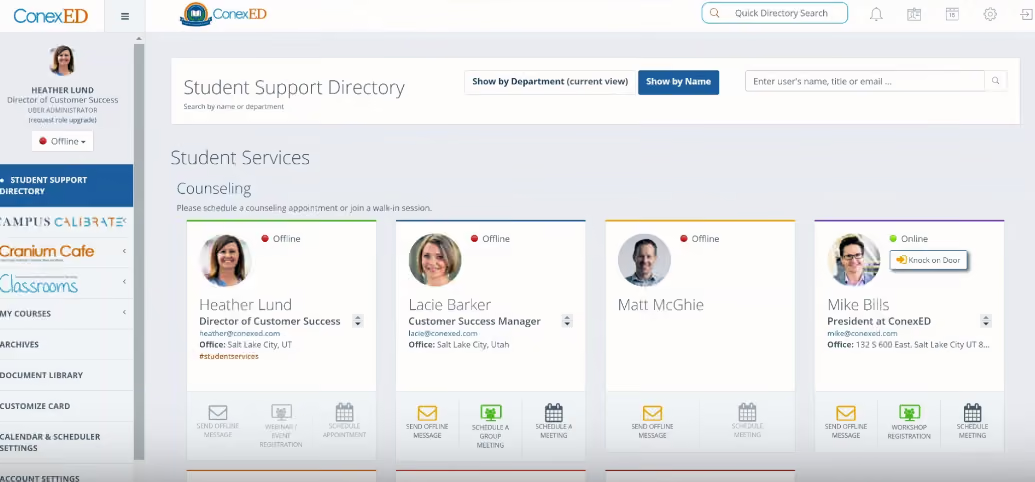
ConexED is a student-services platform built for higher-education institutions and K-12 districts, not independent tutoring businesses. It centers on advising, appointments, and compliance.
Compared with TutorCruncher, ConexED is FERPA-, HIPAA-, and WCAG 2.0-compliant out of the box. That matters for an institution, but adds overhead a small company doesn't need.
Key Features
- Appointment scheduling: Book advising, tutoring, and support-service meetings.
- Video conferencing: Run one-on-one and group sessions inside the platform.
- Student kiosk: Mobile-friendly check-in for walk-in support.
- Compliance: Meet FERPA, HIPAA, and WCAG 2.0 standards.
Pros
- Compliance certifications suit institutions that need them for accreditation.
- Built-in video conferencing removes the need for a separate meeting tool.
- Kiosk mode fits a campus support center with walk-in traffic.
Cons
- Built for institutions, not a natural fit for an independent tutoring business.
- No public pricing available for smaller buyers to compare against.
- Compliance features add complexity a small business doesn't need.
Pricing
- Custom quote; no public pricing listed.
8. TutorWare: Best for Full-Suite CRM, Billing, and HR
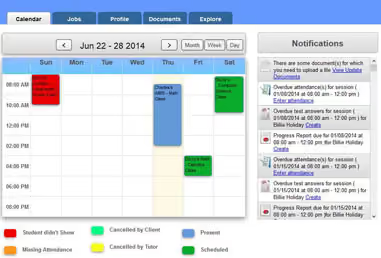
TutorWare bundles CRM, billing, payroll, and HR into one platform. It suits tutoring and test-prep companies that want a single system for the whole business.
Compared with TutorCruncher, TutorWare adds recruiting and applicant tracking. That suits companies that hire tutors regularly, not just those running a fixed roster.
Key Features
- CRM: Capture leads, run email campaigns, and track sales opportunities.
- HR tools: Handle recruiting, job postings, and e-signature onboarding.
- GPS-verified attendance: Confirm tutor clock-ins through a mobile app.
- Educator tools: Generate learning plans and standards-linked assessments.
Pros
- HR and recruiting tools go further than most scheduling-first competitors.
- GPS-verified attendance adds accountability for businesses with in-person sessions.
- One system covers CRM, billing, and staffing instead of three separate tools.
Cons
- Pricing isn't published, so budgeting requires a sales call before comparing costs.
- The broader feature set can be more than a solo tutor needs.
- Fewer public reviews make it harder to gauge support quality in advance.
Pricing
- Custom quote; no public pricing listed.
9. TutorRoom: Best for Occasional Pay-As-You-Go Virtual Classrooms
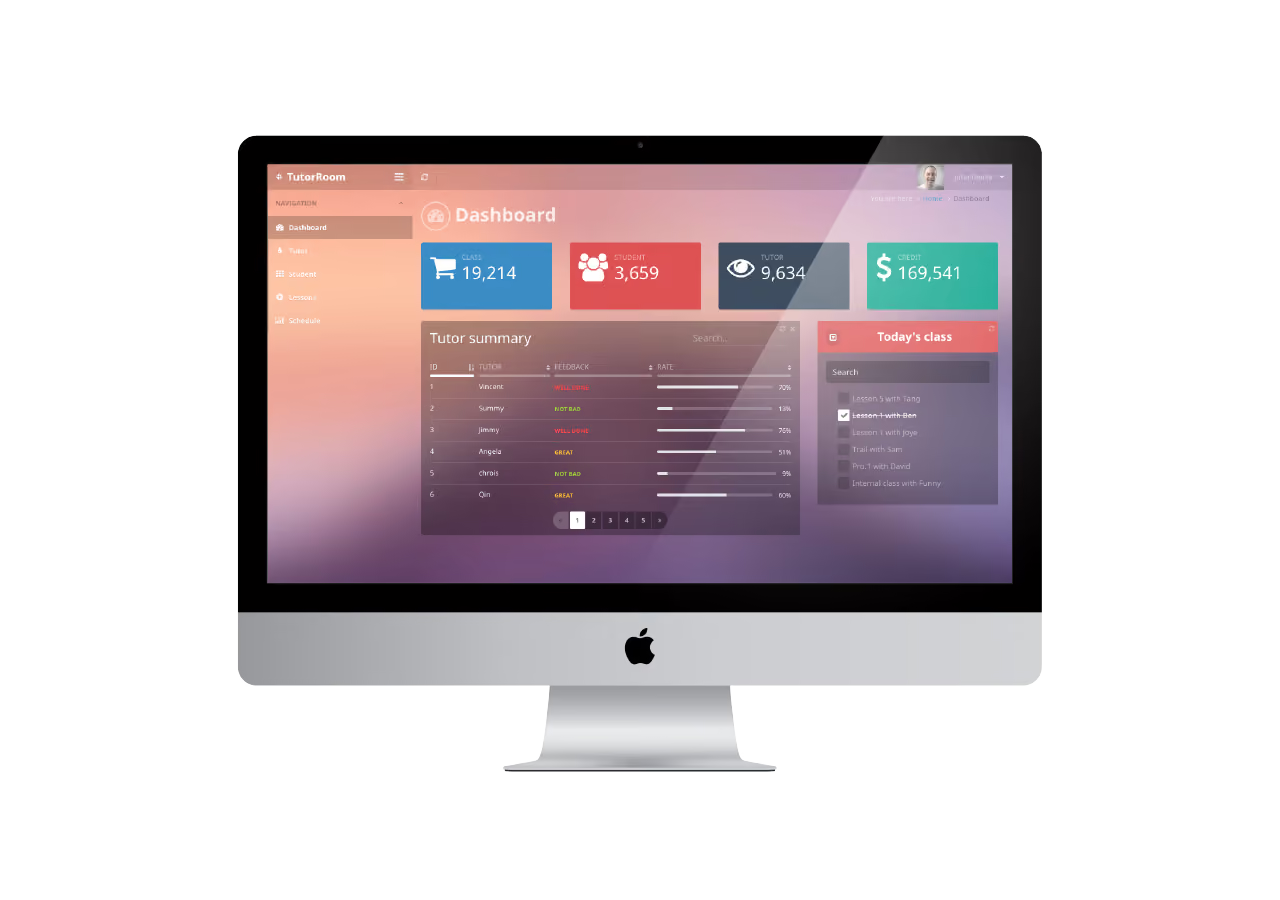
TutorRoom is a virtual classroom platform priced per classroom rather than a monthly subscription. It suits occasional online sessions more than a full daily operation.
Compared with TutorCruncher's subscription model, TutorRoom's $1-per-classroom pricing means you pay only when a session happens.
Key Features
- Virtual whiteboard: Support live teaching and presentations.
- Session recording: Record classes for later review.
- Breakout rooms: Split a class into smaller groups for discussion.
- Student portal: Store records and shared files in one place.
Pros
- Pay-per-classroom pricing suits a business running sessions occasionally, not daily.
- No subscription commitment required to try it out.
- Feature set covers the core needs of a live virtual classroom.
Cons
- No free trial to test the platform first.
- Reviewers frequently note that the user interface feels basic, non-intuitive, and visually outdated
- Lacks the scheduling, billing, and payroll tools a growing business eventually needs.
Pricing
- Pay-as-you-go: $1 per classroom
10. TracCloud: Best for College Retention Tracking
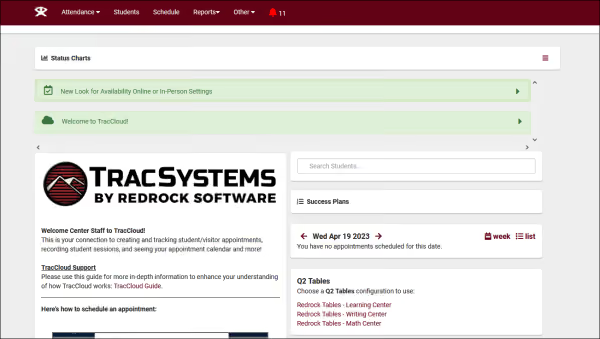
Redrock Software builds TracCloud (formerly TutorTrac) for colleges, universities, and K-12 districts running tutoring, advising, or writing centers. It centers on retention and early-alert reporting.
Compared with TutorCruncher, TracCloud centers on institutional retention data. It doesn't cover the invoicing and payroll a small tutoring business needs day-to-day.
Key Features
- Scheduling and reporting: Cover up to 3 centers on the base tier, with automatic imports and visit tracking.
- SAGE Early Alert System: Flag at-risk students and build success plans, starting with the Retention tier.
- Career and assessment tools: Add career-center management and case reporting on the Advancement tier.
- TracInsights AI: Adds predictive analytics, API access, and cross-campus reporting on the Enterprise tier.
Pros
- Every tier includes unlimited students and unlimited kiosks, so cost doesn't scale with headcount.
- SAGE Early Alert System suits institutions focused on student retention.
- Built from decades of higher-ed use, with reporting tuned to that context.
Cons
- Built for colleges and districts, not independent tutoring businesses.
- Entry pricing starts near $6,000, well above what a small tutoring business would pay.
- Higher tiers require a sales call, since Enterprise pricing isn't published.
Pricing
- TracCloud: $5,999 (up to 3 centers)
- Essentials: $7,999 (up to 5 centers)
- Retention: $9,999 (up to 10 centers)
- Advancement: $15,999 (up to 20 centers)
- Enterprise: Custom (unlimited centers)
Factors to Consider When Choosing a TutorCruncher Alternative
1. Business Type Fit
Confirm the platform fits your business type, whether you're a solo tutor, a multi-branch business, or an institution. A tool built for colleges won't fit a two-person tutoring shop, and vice versa.
2. Fee Structure
Check whether pricing runs as a flat subscription or stacks per-transaction and per-seat charges. Per-transaction fees can cost more than a higher flat rate once volume grows.
3. Interface Stability
Weigh how often the platform changes without warning, and how much notice it gives. Surprise updates force retraining and slow down daily operations.
4. Reporting Depth
Look for a platform that provides you with in-depth information about your business and student progress. Many software provide analytics, but not all support metrics that really drive your business to grow.
5. Support Responsiveness
Confirm that you’ll get support to solve specific problems you face instead of just being pointed to generic help docs. Generic guides waste time when you need a real answer.
Why EdisonOS Is a Strong Alternative to TutorCruncher
EdisonOS isn't a replacement for TutorCruncher's scheduling and billing. It’s a supplementary tool that boosts your business’ efficiency and gives tutors time to focus on what matters most: student progress. While TutorCruncher runs the day-to-day operations of a tutoring business, EdisonOS runs the assessment and analytics side.
A business can take up TutorCruncher or one of the alternatives in this list for bookings and payroll, then add EdisonOS for standardized-test simulation, scoring, and reporting.
In practice, that looks like:
- Build Your Own Tests creates a full assessment from the question library in minutes.
- Detailed Summary reports track scaled score, section and skill analysis, and session logs.
- Institute-level reporting rolls up performance across tutors and branches.
- White-labeling puts your brand on the testing experience.
Ready to see how it fits alongside your existing tools? Book a demo today.
Frequently Asked Questions About TutorCruncher Alternatives
What are the top TutorCruncher alternatives?
Teachworks, TutorBird, Oases Online, and TutorWare are the closest direct alternatives for day-to-day scheduling and billing. EdisonOS covers a different function: assessments and analytics, not business operations. See our full roundup of platforms for test prep centers for more options.
Is TutorCruncher suitable for multi-branch institutes?
TutorCruncher supports multiple branches, but reviewers report thin business analytics and limited customization at scale. Larger operations may need deeper reporting than it currently provides.
How does EdisonOS compare to TutorCruncher?
EdisonOS and TutorCruncher solve different problems. TutorCruncher manages scheduling, billing, and payroll. EdisonOS manages test simulation, scoring, and performance analytics, and the two typically run side by side.
What is the best alternative to TutorCruncher for smaller tutoring businesses?
TutorBird's flat-rate pricing suits a solo tutor or small team best. For a business that also wants assessment depth, pairing a scheduling tool with EdisonOS covers both needs. New to running one? See our guide on how to start a test prep business.