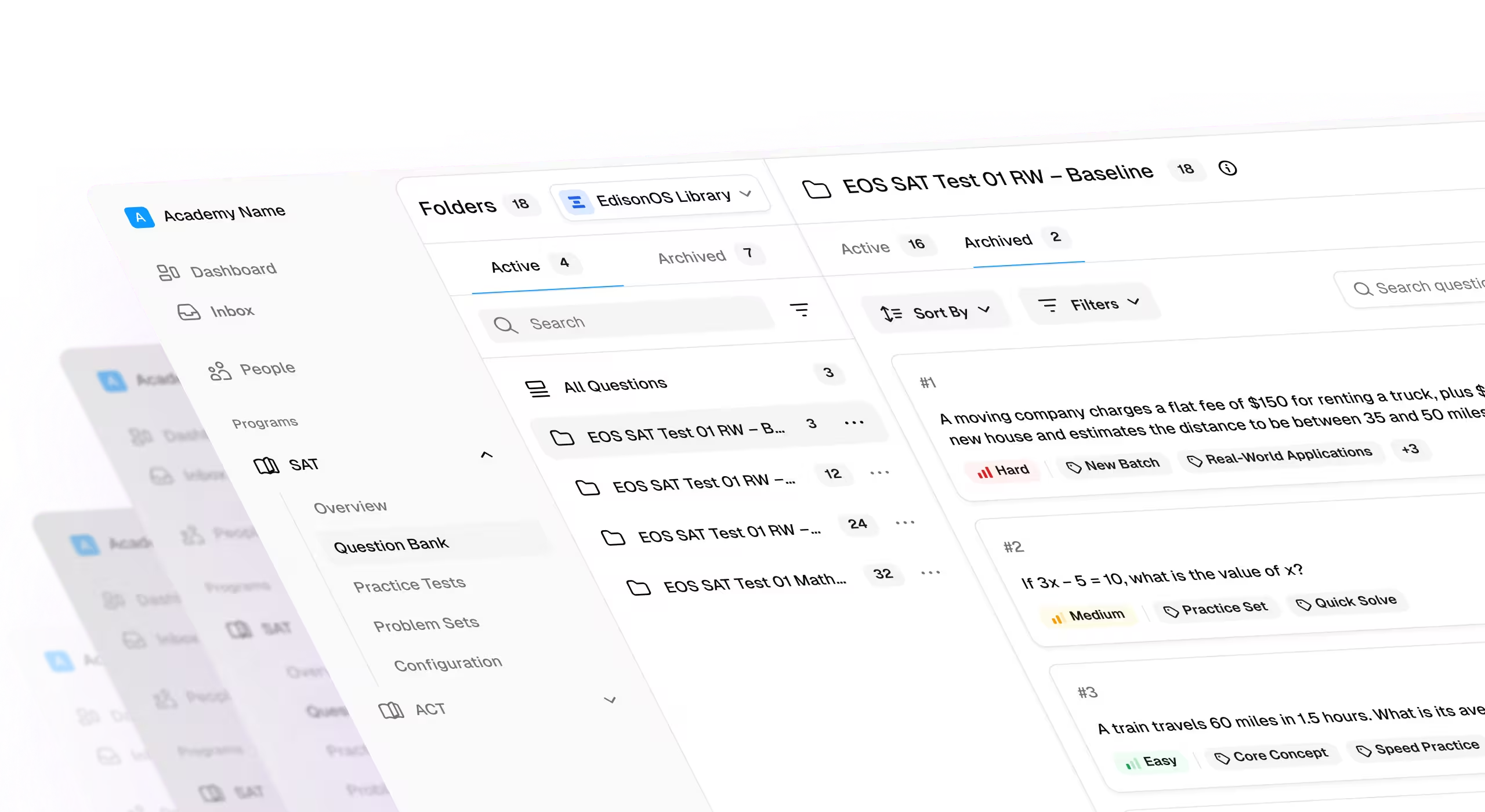
- EdisonOS supports AP test preparation with digital exam simulations, question extraction, student performance tracking, and school-level management tools.
- College Board AP Classroom provides official AP instructional resources, progress checks, and a question bank for eligible AP teachers.
- Khan Academy offers free lessons, videos, and practice exercises for selected AP subjects.
- UWorld provides exam-style practice questions and explanations for supported AP courses.
- AP Scholr offers practice questions, simulated exams, and AI-supported study resources across AP courses.
- Schools should compare AP subject coverage, assessment features, reporting capabilities, pricing, and ease of implementation before choosing a platform.
Managing multiple Advanced Placement (AP) classes requires more than access to practice questions. Schools need tools that help teachers prepare assessments, support different AP subjects, track individual and classroom performance, and identify students who need additional help before exam day.
The right AP tools for schools bring these activities into a more organised workflow. Platforms such as EdisonOS help schools manage assessments and monitor student progress, while College Board AP Classroom provides official instructional resources and AP-aligned practice. Supplementary resources such as Khan Academy and UWorld can support subject learning and independent revision. The best combination depends on a school's AP course offerings, staffing, budget, and assessment needs.
Compare the Best AP Tools for Schools Managing Multiple AP Classes
AP tools serve different purposes. Some help schools manage assessments across multiple classes, while others focus on subject instruction, independent practice, or exam revision. The following comparison highlights the main use cases, features, and publicly available pricing.
Best AP Tools for Schools Managing Multiple AP Classes
1. EdisonOS: Best for School-Wide AP Test Preparation
EdisonOS is a test preparation platform designed to help schools and educational institutions manage exam preparation, assessments, and student performance. Its AP offering combines a digital testing environment with question creation and performance analytics, allowing educators to organise practice across supported AP subjects.
Key features and benefits for schools:
- Digital exam simulations: Help students become familiar with digital testing interfaces and exam-style tools before test day.
- AI-powered question extraction: Convert questions from existing PDFs into editable practice material, reducing the need for manual question entry.
- Student performance tracking: Use subject-level analytics and progress reports to identify learning gaps and plan targeted support.
- Centralised management: Organise students, assign assessments, and monitor performance across groups and subjects.
Pricing: EdisonOS offers two school licensing options. Enterprise Starter costs $10 per student per year for schools with 1,000 or fewer student licences. Enterprise is designed for schools requiring more than 1,000 student licences, with custom pricing.
Schools can explore the AP test prep platform or learn more about the EdisonOS school platform.
2. College Board AP Classroom: Best for Official AP Resources
AP Classroom is the College Board's official platform for AP teachers and students. It provides course-aligned resources, progress checks, AP Daily instructional videos, and access to the AP Question Bank, making it a useful foundation for classroom instruction and exam preparation.
Key features and benefits for schools:
- Official course resources: Access materials designed around the AP course frameworks.
- Progress checks: Assess students' understanding through multiple-choice and free-response questions.
- Teacher-led assignments: Assign practice activities and review student results within AP classes.
- Digital exam familiarity: Use online assessments that help students practise in a digital testing environment.
Pricing: AP Classroom is free for eligible AP teachers and their students. Teachers need a College Board account and an approved AP Course Audit to access its resources.
For schools, AP Classroom is particularly useful for official course materials. Schools that also need broader administrative workflows or additional assessment-building tools may want to evaluate a complementary platform.
3. Khan Academy: Best for Concept-Based Learning
Khan Academy offers free instructional videos, worked examples, and practice exercises for selected AP subjects. It can help teachers reinforce difficult concepts and give students additional practice outside regular classroom hours.
Key features and benefits for schools:
- Free learning resources: Supplement classroom teaching without adding a paid platform subscription.
- Self-paced lessons: Allow students to revisit concepts they find difficult.
- Practice exercises: Reinforce subject knowledge through targeted activities.
- Flexible classroom integration: Use selected resources for revision, homework, or additional support.
Pricing: Free.
Khan Academy works well as a supplementary learning resource. Check subject availability before relying on it as the primary resource for every AP class.
4. UWorld College Prep: Best for Exam-Style Practice
UWorld provides AP preparation resources built around practice questions and detailed explanations. For schools, it can support independent revision and help students understand why particular answers are correct or incorrect.
Key features and benefits for schools:
- Exam-style questions: Give students opportunities to practise applying concepts.
- Detailed explanations: Help learners understand mistakes rather than simply review their scores.
- Performance tracking: Support the identification of areas requiring more practice, depending on the product.
- Course-specific preparation: Offer resources tailored to supported AP subjects.
Pricing: Paid subscriptions vary by AP subject and subscription duration.
Check the UWorld AP pricing page for current options.
UWorld is worth considering when a school's priority is detailed practice and explanations. Confirm the availability of school-wide administration and reporting features before adopting it across multiple classes.
5. AP Scholr: Best for AI-Supported AP Practice
AP Scholr is an online study platform offering AP practice questions, simulated exams, study materials, and AI-supported learning resources. It can supplement classroom teaching by giving students additional opportunities to practise and review course content.
Key features and benefits for schools:
- Broad AP coverage: The platform advertises resources across the AP courses it supports.
- Practice questions and exams: Give students additional opportunities to assess their readiness.
- AI-supported learning: Offer tools for reviewing concepts and working through questions.
- Independent revision: Allow students to practise outside sceduled class time.
Pricing: The platform currently advertises free access to its AP study resources. Schools should confirm any institutional features, usage limits, or service terms directly.
AP Scholr may be useful as a supplementary student practice resource. Schools looking for centralised class management should assess its administrative and reporting capabilities before selecting it as a primary platform.
6. Study.com: Best for Structured Study Resources
Study.com combines video lessons, quizzes, practice tests, and other learning resources across a range of AP subjects. It can help students reinforce classroom instruction through structured, self-paced study.
Key features and benefits for schools:
- Video-based instruction: Help students review concepts at their own pace.
- Practice activities: Provide additional opportunities to test understanding.
- Structured learning: Organise revision around available lessons and study materials.
- Flexible access: Support independent learning outside classroom hours.
Pricing: Study.com offers custom pricing for school group plans. Schools should contact the provider for a quote based on their student population, required resources, and institutional needs.
Check the Study.com website for current rates.
Study.com is primarily useful for supplementary instruction and practice. Schools should confirm whether its current plans meet their needs for teacher assignments, multi-class administration, and centralised student reporting.
How to Assess Which AP Software Fits Your School
Choosing AP software starts with identifying how your school currently delivers AP instruction and where teachers need support. Compare platforms against your course offerings, assessment requirements, reporting needs, implementation capacity, and total cost rather than selecting one based on features alone.
Use the following criteria to evaluate your options.
1. Check AP Subject Coverage
List every AP course your school offers and verify which subjects each platform supports. Look for the distinction between ready-to-use subject content and tools that allow teachers to create their own questions or assessments.
2. Evaluate Assessment Capabilities
Check whether the platform supports multiple-choice questions, free-response questions, timed practice, full-length assessments, and subject-specific exam tools. For free-response questions, verify how answers are evaluated and whether teacher review is still required.
3. Review Student and Class-Level Reporting
Teachers need to understand individual student performance as well as patterns across entire classes. Look for reports that highlight topic-level weaknesses, progress over time, and students who may need additional support.
4. Calculate the Total Cost
Compare subscription fees, per-student licences, assessment credits, content access, and any additional charges. A low starting price may not reflect the total cost of using the platform across multiple AP classes.
5. Assess Ease of Implementation
Consider how easily teachers can create classes, assign assessments, access reports, and incorporate the platform into existing workflows. Also review training, technical support, data protection, and integration requirements.
6. Test the Platform Before Committing
Use a trial or product demonstration to evaluate the actual teacher and student experience. Ask a small group of teachers to test representative AP courses before deciding on a school-wide rollout.
How EdisonOS Helps Schools Manage Multiple AP Classes
EdisonOS helps schools organise AP test preparation through digital assessments, question creation tools, student performance tracking, and centralised management. Teachers can assign practice assessments, review student progress, and use performance data to identify areas that need further instruction. Its AI question extractor can also help turn existing PDF-based questions into editable practice material.
The platform supports selected AP subjects, including AP Calculus AB and BC, AP Precalculus, AP Physics 1, AP Biology, AP Chemistry, AP U.S. History, AP Macroeconomics, and AP Microeconomics. Schools should confirm current subject coverage and the availability of specific features as part of their evaluation.
For schools managing several AP classes, the value lies in bringing assessment workflows and student progress data into one place rather than relying entirely on separate spreadsheets and disconnected tools. The right setup can help teachers spend less time organising practice and more time responding to students' learning needs.
Explore the AP test prep platform for schools, review AP test prep pricing, or book a demo to discuss your school's requirements.
Frequently Asked Questions